
Grammarly vs ProWritingAid for Freelancers (2026): The Honest Comparison
Quick Verdict
In this Grammarly vs ProWritingAid comparison, we skip the marketing language and give you a real answer. Most freelancers pick Grammarly because it is the name everyone knows. Some switch to ProWritingAid because someone on a Facebook group said it is better. Both choices are usually made without actually comparing what each tool does for the specific type of writing freelancers do every day. We have used both across real client work – blog posts, email campaigns, copywriting briefs, and long-form content – and we are going to tell you exactly which one earns its price based on how you actually work.
Short answer: in this Grammarly vs ProWritingAid matchup, Grammarly wins for speed and real-time polish. ProWritingAid wins for deep editing and style improvement. Your budget and workflow decide which one is right for you.
Overall Comparison Ratings
| Category | Grammarly | ProWritingAid |
|---|---|---|
| Ease of Use | 4.8/5 | 3.8/5 |
| Real-Time Editing | 4.7/5 | 3.5/5 |
| Writing Style Analysis | 3.8/5 | 4.9/5 |
| Grammar Accuracy | 4.6/5 | 4.3/5 |
| Plagiarism Checker | 4.2/5 | 4.0/5 |
| Value for Money | 3.5/5 | 4.5/5 |
| Integrations | 4.7/5 | 3.8/5 |
| Best For | Speed, client comms | Deep editing, style growth |
My First Month Using Both: An Honest Account
About eight months ago I was juggling four retainer clients at once. One needed weekly blog posts, two needed email sequences, and one needed product descriptions – all with different brand voices, different style guides, and completely different tolerance for error. I was spending close to two hours a day just proofreading and editing my own drafts before submitting.
I was using Grammarly at the time. It caught the obvious stuff – typos, subject-verb disagreements, missing commas. But it was not making me a better writer. It was just cleaning up what I already wrote. A freelancer colleague mentioned ProWritingAid and I decided to run a proper side-by-side test for 30 days. Same type of work, same clients, one tool per project, rotating weekly.
What I found was not what either tool’s marketing promised. Grammarly was genuinely faster. Opening a Google Doc with the Grammarly extension active and seeing suggestions appear in real time while writing – that saved meaningful minutes on every piece. ProWritingAid was slower to use but the Style Report it generated after finishing a draft taught me things about my writing patterns I had never noticed. I was overusing passive voice in my product descriptions. I was starting 40 percent of my sentences with the same three words in email sequences. That kind of feedback changed how I write, not just how I clean up.
Grammarly: What It Actually Does for Freelancers
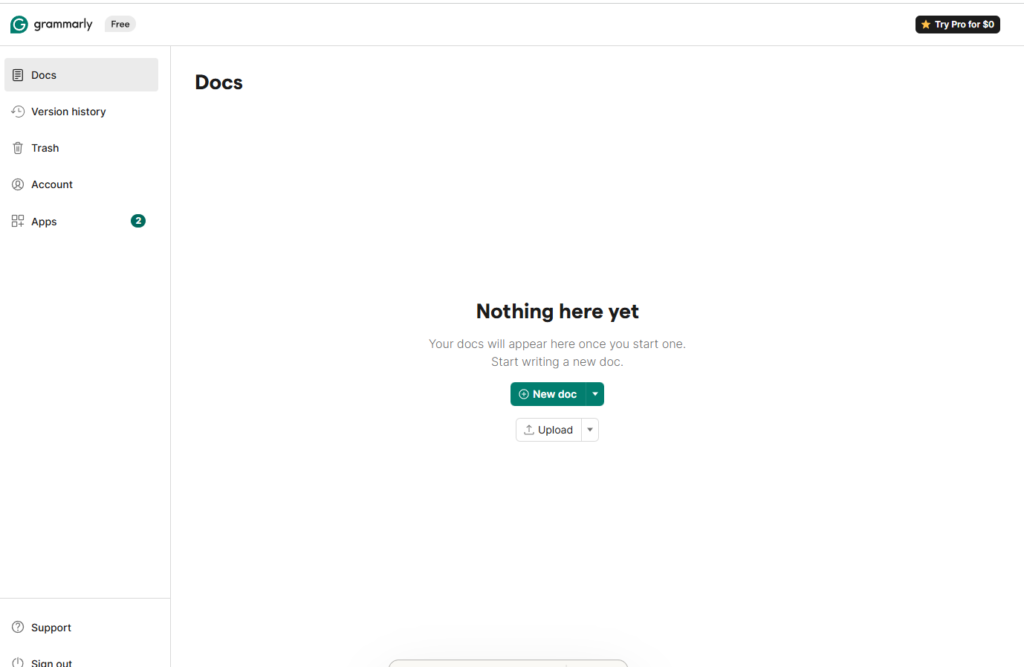
Grammarly built its reputation on one thing: catching mistakes fast, wherever you write. The browser extension works across Gmail, Google Docs, LinkedIn, Notion, WordPress, and almost every other platform freelancers use daily. That ubiquity is its biggest practical advantage and the reason it stays the default choice for most working writers.
Real-Time Grammar and Tone Detection
Grammarly scans as you type and flags issues instantly. Grammar corrections are highlighted in red, clarity suggestions in blue, and engagement improvements in green. The tone detector in the premium plan tells you how your writing comes across – whether it reads as formal, confident, friendly, or uncertain. For freelancers writing client emails and proposals, this is genuinely useful. You can dial the tone up or down before sending without reading the message five times trying to guess how it lands.
GrammarlyGO: The AI Writing Assistant
Grammarly added its AI writing assistant GrammarlyGO in 2023. It can rewrite sentences, suggest entire paragraphs, and adjust tone on demand. It is not as capable as a dedicated AI writing tool like Writesonic or Jasper, but for quick rewrites inside a document you are already editing, it removes the need to switch tabs. The quality is decent for short-form copy and email. For long-form blog content, it still falls short of purpose-built AI writers.
Where Grammarly Falls Short
Grammarly is a proofreading tool, not a writing development tool. It will not tell you that your sentence variety is poor, that you have a tendency to bury your main point in the third paragraph, or that your paragraph transitions are weak. It catches errors after they happen rather than teaching you to make fewer of them. For freelancers who want to grow as writers while they work, Grammarly offers limited developmental feedback.
ProWritingAid: What It Actually Does for Freelancers
ProWritingAid is built around a different premise: not just cleaning up writing, but analysing it in depth and showing you patterns you repeat, weaknesses you do not notice, and specific changes that will make your work more readable and compelling. The tradeoff is that it takes more time to use and has a steeper learning curve than Grammarly.
The Style and Readability Reports
This is ProWritingAid’s headline feature and the one that justifies its existence for serious freelancers. After finishing a draft, you run a Style Report that shows you: overused words, sentence length variation, passive voice percentage, readability score by paragraph, pacing issues, and repeated phrase patterns. Each report comes with explanations of why the flagged issue matters and suggestions for fixing it. For freelancers who write in multiple voices across multiple clients, this level of feedback helps you spot which habits you carry from one project to the next without realising it.
Genre-Specific Writing Analysis
ProWritingAid lets you select the genre of your writing before running analysis – blog post, business writing, creative writing, academic, and others. The tool then adjusts its suggestions to match the expectations of that genre. A passive voice rate that is fine in business writing might be flagged as too high in a blog post. This context-aware feedback is something Grammarly simply does not offer.
Where ProWritingAid Falls Short
ProWritingAid does not integrate as widely as Grammarly. The browser extension is weaker and less consistent across platforms. If you do most of your writing in Google Docs, the experience is workable but not seamless. The interface is also more cluttered – running multiple reports in sequence takes time, and the learning curve is steeper than Grammarly’s clean, single-panel suggestions. For freelancers who work fast under tight deadlines, the slower workflow can feel like friction rather than help.
Side-by-Side Feature Comparison
| Feature | Grammarly Free | Grammarly Premium | ProWritingAid Free | ProWritingAid Premium |
|---|---|---|---|---|
| Grammar Check | Yes | Yes (advanced) | Yes | Yes (advanced) |
| Style Reports | No | Limited | Yes (500 words) | Yes (unlimited) |
| Tone Detection | No | Yes | No | Limited |
| Plagiarism Checker | No | Yes | No | Yes |
| Browser Extension | Yes (strong) | Yes (strong) | Yes (limited) | Yes (limited) |
| AI Writing Assistant | Limited | Yes (GrammarlyGO) | No | Limited |
| Lifetime Licence | No | No | No | Yes (~$399) |
Pricing: What You Actually Pay
On monthly billing both tools cost $30. On annual billing, ProWritingAid Premium comes in at roughly $10 per month versus Grammarly Premium at $12 per month. The difference is small month to month, but ProWritingAid also offers a lifetime licence at around $399. Grammarly has no lifetime option.
| Plan | Monthly | Annual (per month) |
|---|---|---|
| Grammarly Free | $0 | $0 |
| Grammarly Premium | $30 | $12 |
| ProWritingAid Free | $0 | $0 |
| ProWritingAid Premium | $30 | $10 |
| ProWritingAid Lifetime | ~$399 one-time | Best long-term value |
Challenges Freelancers Face – and How to Fix Them
Challenge 1: Grammarly flattens your writing voice
What happens: You write a confident, punchy sentence and Grammarly flags it as unclear. You accept the suggestion and the sentence comes out longer and flatter. Repeat that across a 1,500-word post and your writing sounds like a committee wrote it. Why it happens: Grammarly’s AI is trained on a general definition of clarity that does not account for deliberate stylistic choices. The fix: Use the dismiss option more. Treat Grammarly as a second opinion, not an instruction. Review every suggestion before accepting it.
Challenge 2: ProWritingAid overwhelm on deadline days
What happens: You open ProWritingAid with 90 minutes to polish and submit, and the report comes back with 87 suggestions across six categories. You try to action all of them and miss the deadline. Why it happens: ProWritingAid is designed for writers with time to improve, not writers under pressure. The fix: On deadline days, run only two reports – Grammar and Style. Save the full analysis for slower sessions when you can genuinely work through feedback.
Challenge 3: Neither tool catches factual errors
What happens: You write that a subscription costs $29 per month when the price changed three months ago, and both tools flag nothing. Why it happens: These are grammar and style tools, not fact-checkers. The fix: Build a separate fact-check step into every workflow before submission. No editing tool covers this gap – you have to own it manually.
Grammarly: Pros and Cons
Pros
- Works across every major platform with zero setup friction
- Real-time suggestions appear as you type
- Clean interface with no learning curve
- Tone detector useful for client-facing communication
- Plagiarism checker included in premium
- Free plan is genuinely useful for basic work
Cons
- $30/month on monthly billing is among the pricier editing tools
- Does not improve your writing long-term
- Can flatten voice with over-accepted suggestions
- No genre-specific analysis
- No lifetime licence option
ProWritingAid: Pros and Cons
Pros
- 20+ reports covering style, readability, pacing, and structure
- Genre-specific analysis adjusts feedback to content type
- Teaches you to write better, not just edit better
- Lifetime licence offers best long-term value of any editing tool
- Annual premium cheaper than Grammarly
Cons
- Slower workflow – not built for real-time editing
- Weaker browser extension than Grammarly
- Cluttered interface with a noticeable learning curve
- Free plan capped at 500 words per analysis
Who Should Use Grammarly
When comparing Grammarly vs ProWritingAid, Grammarly is the right choice for freelancers who write across multiple platforms daily and need clean, error-free copy fast. It is best suited to email, proposals, short-form content, LinkedIn posts, and any writing where speed and polish matter more than deep style analysis. It also works well for newer freelancers who are building confidence – the interface is approachable and the free plan covers enough ground to be genuinely useful from day one.
Who Should Use ProWritingAid
ProWritingAid is the right choice for freelancers who primarily write long-form content – blog posts, articles, case studies, white papers – and who want to understand their writing patterns over time. It rewards writers who treat editing as a dedicated phase rather than a background task. If you write one or two major pieces per week and have time to run a proper editing session on each, ProWritingAid will improve your craft in ways Grammarly never will. The lifetime licence makes it the smarter financial decision for freelancers committed to long-term use.
Can You Use Both?
Yes, and some experienced freelancers run a Grammarly vs ProWritingAid dual workflow. Write the draft with Grammarly active for real-time cleanup, then paste the finished draft into ProWritingAid for a Style and Readability report before final submission. You get Grammarly’s speed during writing and ProWritingAid’s depth during editing. The downside is cost – running both premium plans adds up to $22 to $25 per month on annual billing. For most freelancers, that is more than necessary.
What’s New in 2026
Grammarly expanded GrammarlyGO with improved context awareness and longer output capability in 2026. The tone detection has also been updated to recognise a wider range of communication styles – useful for freelancers managing multiple brand voices. ProWritingAid added an improved Rephrase tool and updated its Style Report to surface alternative phrasing options directly in the panel rather than requiring manual rewrites. The desktop app interface has also been cleaned up significantly.
Final Verdict
For most working freelancers, the Grammarly vs ProWritingAid decision comes down to workflow. Grammarly Premium is the daily driver for speed and polish across platforms. ProWritingAid Premium is the growth tool for long-form writers who edit in sessions. If you can only choose one: pick Grammarly if speed and cross-platform use matter most. Pick ProWritingAid if long-form writing and craft improvement are your priority. Both free plans are worth installing and testing before committing to either premium subscription.
If you are looking at building a broader AI-powered writing workflow, our Writesonic Review and Jasper AI Review cover AI content generation tools that pair well with an editing tool like either of these.
Frequently Asked Questions
Is Grammarly free good enough for freelancers?
Grammarly Free covers basic grammar, spelling, and punctuation. It is a useful starting point but lacks tone detection, advanced clarity suggestions, and the plagiarism checker that premium clients often expect. For polished client-facing work, the premium features are worth having. If budget is tight, start with free and upgrade when the gaps become painful.
Does ProWritingAid work inside Google Docs?
Yes, via a browser extension. The experience is functional but not as seamless as Grammarly’s native Google Docs integration. For the deeper analysis reports, you will get better results pasting your text directly into the ProWritingAid web editor.
Which is better for non-native English writers?
Grammarly is generally better for non-native English writers. Real-time suggestions catch errors as they occur rather than requiring a separate editing session, and the explanations are clearer and more immediately actionable. ProWritingAid’s deeper reports become more useful once a writer has stronger foundational fluency.
Is ProWritingAid worth it if I already use an AI writing tool?
Yes – arguably more so. AI writing tools produce output with repetitive phrasing, inconsistent sentence variety, and passive voice issues that the AI normalises across a piece. ProWritingAid’s style reports catch exactly these patterns and help you edit AI-generated drafts into something that reads more genuinely human.
Which tool is better for Grammarly vs ProWritingAid for SEO writing?
For Grammarly vs ProWritingAid when it comes to SEO writing specifically, Grammarly works better during the drafting phase for keeping copy clean and readable. ProWritingAid is better for the editing phase, ensuring your keyword-rich sentences read naturally rather than forced. Using both in sequence gives the best result for SEO content that needs to satisfy both search engines and human readers.