
Gumloop Review 2026: AI-Native Workflow Automation (Tested)
Gumloop Review 2026: A Freelancer’s Guide to AI-Native Workflow Automation
If you are searching for a modern automation platform built specifically around artificial intelligence, this Gumloop review will walk you through every detail you need to know. I spent several weeks building AI-powered workflows on Gumloop for real freelance projects to see if it lives up to the growing buzz. In this Gumloop review, I will break down the visual builder, AI agent capabilities, pricing structure, and practical limitations so you can make an informed decision.
Quick Verdict
Gumloop is an AI-native workflow automation platform that lets freelancers build complex automations using a visual node-based interface powered by large language models. It offers a free tier for experimentation, with paid plans starting at $29 per month for the Starter tier and $99 per month for the Pro tier. If you want to create workflows that read documents, generate content, analyze data, and make decisions with AI, Gumloop offers a unique approach that traditional automation tools cannot match.
Our Overall Rating: 4.0 out of 5
I rated Gumloop 4.0 out of 5 because it delivers genuinely innovative AI automation features in an accessible visual package. The platform excels at document processing, content generation, and decision-making workflows that would require multiple tools to replicate elsewhere. However, occasional instability, slower execution times for AI steps, and a still-maturing integration library hold it back from a higher score.
What Is Gumloop?
Gumloop is a workflow automation platform designed from the ground up to incorporate artificial intelligence into every step of the automation process. Founded by a team of AI researchers and engineers, the platform distinguishes itself from traditional tools like Zapier and Make by treating large language models as core infrastructure rather than optional add-ons. Every workflow can include AI steps that read, write, analyze, and reason about data.
The platform uses a visual node editor where you drag components onto a canvas and connect them to define data flow. What makes Gumloop different is that many of these nodes are AI-powered. You can drop in a node that reads a PDF and extracts key information, another node that classifies the extracted data into categories, and a third node that writes a personalized email based on the classification. All of this happens without writing code.
For freelancers, Gumloop represents an opportunity to offer high-value AI automation services without needing a computer science degree. The platform handles prompt engineering, model selection, and context management behind the scenes. You focus on defining what you want the workflow to accomplish, and Gumloop figures out how to make the AI components work together.
The target audience includes marketing freelancers, virtual assistants, content agencies, data analysts, and operations consultants who want to add AI capabilities to their service offerings. Technical developers may find the abstraction limiting for highly custom tasks, but the platform’s strength is accessibility for non-coders who still need powerful automation.
How to Get Started with Gumloop
Getting started with Gumloop is designed to be friendly for users without technical backgrounds. I went through the entire process from signup to a working production workflow to identify any friction points. The experience was smoother than I expected, though some AI concepts required a brief learning period.
Step 1: Sign Up
Navigate to gumloop.com and click the sign-up button. You can register with an email address or use Google authentication. The free tier is immediately available with no credit card required, which lets you explore the full feature set before committing financially. I appreciated that Gumloop does not gate core functionality behind a paywall during the trial phase.
After signing up, Gumloop presents an interactive onboarding sequence that explains the core concepts of nodes, connections, and AI steps. The tutorial walks you through building a simple workflow that summarizes a web page using AI. I recommend completing this tutorial even if you are eager to build something custom, as it establishes the mental model for how Gumloop handles data flow.
Step 2: Explore Templates
Gumloop provides a template gallery with pre-built workflows for common use cases. Categories include content creation, sales outreach, data extraction, customer support, and social media management. I started with a template that extracts data from incoming emails and populates a Google Sheet, then modified it heavily for a client project.
The templates are fully editable, so you can use them as learning materials or starting points. I found the quality variable; some templates were production-ready while others needed significant refinement. The best templates included detailed comments explaining what each node does, which accelerated my understanding of advanced features.
Step 3: Build Your First AI Workflow
Click “New Workflow” to open the node editor. The canvas starts empty, and you add nodes from a sidebar menu organized by category. I built a workflow that monitors a Gmail inbox for client inquiries, uses AI to extract project requirements and budget information, and sends a formatted summary to a Slack channel.
Adding an AI node is as simple as dragging it onto the canvas and writing a prompt in plain English. For my email parser, I wrote: “Extract the project type, budget range, and deadline from this email. Return the results as JSON.” Gumloop automatically selected an appropriate language model and formatted the output as structured data that subsequent nodes could consume.
Step 4: Connect External Services
Gumloop integrates with popular services including Gmail, Google Sheets, Slack, Notion, Airtable, HubSpot, Salesforce, and various social media platforms. Connecting an account uses standard OAuth flows. I connected Gmail and Slack in under two minutes, and Gumloop verified the permissions without any confusing authorization screens.
The integration library is growing but not as extensive as Zapier or Pipedream. I ran into a missing connector for a niche CRM one of my clients uses. However, Gumloop offers HTTP request nodes that let you call any REST API directly, which served as an acceptable workaround after I read the CRM documentation.
Step 5: Test and Deploy
Testing workflows in Gumloop is straightforward. Each node has a test button that runs that step in isolation using sample data. You can also run the entire workflow end-to-end and inspect the output at each stage. During my testing, I caught several prompt issues by reviewing the AI node’s intermediate outputs.
Deployment options include scheduled execution, webhook triggers, and manual runs. I set my email monitoring workflow to run every fifteen minutes during business hours. Gumloop also supports event-driven triggers for some integrations, though polling is more common. Execution logs are detailed and helpful for debugging production issues.
Gumloop Key Features for Freelancers
Gumloop’s feature set centers on making AI accessible within automation workflows. For freelancers, this means you can offer services that previously required hiring machine learning specialists or using multiple disjointed tools. I tested the key features extensively to separate genuine capability from marketing hype.
Visual Node Editor with AI Nodes
The node editor is Gumloop’s primary interface, and it resembles tools like Figma or Blender more than traditional automation builders. Nodes represent operations, and connections define how data moves between them. AI nodes are visually distinct, marked with a sparkle icon, and accept natural language prompts instead of rigid configuration fields.
I built a content creation workflow that takes a topic as input, uses an AI node to generate an outline, passes the outline to another AI node that writes a draft, and sends the result to a Google Doc. The entire workflow required zero coding, and I could modify the tone, length, and style by simply editing the prompt text in each node.
The visual approach makes it easy to understand workflow logic at a glance. I shared a screenshot of a client onboarding automation with a non-technical client, and they immediately understood how their new leads would be processed. This transparency builds trust and reduces back-and-forth explanation time.
Document and Data Processing
One of Gumloop’s standout capabilities is document processing. You can feed PDFs, Word documents, images, and spreadsheets into AI nodes that extract structured information. I tested this with a client’s invoice collection process, where Gumloop read PDF invoices, extracted line items, dates, and totals, and populated an accounting spreadsheet.
The accuracy was impressive for standard document formats. Clean, well-structured PDFs yielded near-perfect extraction. Handwritten documents and low-quality scans performed worse, though still better than many dedicated OCR tools I have used. For freelancers handling document-heavy workflows like contract review, expense processing, or form digitization, this feature alone justifies the subscription.
Gumloop also supports data transformation nodes that clean, filter, and restructure data between steps. I used these to normalize phone number formats, remove duplicates from contact lists, and merge data from multiple sources before sending it to a CRM. These utility nodes reduce the need for custom code in common data preparation tasks.
AI Content Generation
Freelance writers, marketers, and social media managers can use Gumloop to automate content creation pipelines. The platform integrates with language models that generate blog posts, social media updates, email sequences, and ad copy. You can chain multiple generation steps to create complex content workflows.
I built a social media workflow for a client that takes a blog post URL, extracts the key points, generates five tweet variations, creates corresponding image prompts, and schedules everything through Buffer. What would normally take an hour of manual work now runs automatically when the client publishes a new article.
The quality of AI-generated content depends heavily on your prompts. Gumloop provides prompt templates and optimization suggestions, but you still need to understand your client’s voice and requirements. I treat Gumloop as a first draft generator rather than a final output producer, which saves time while maintaining quality control.
Decision-Making and Conditional Logic
Traditional automation tools rely on rigid if-then rules for decision-making. Gumloop introduces AI-powered decisions that can interpret natural language conditions and route workflows accordingly. Instead of checking whether a field equals a specific value, you can ask the AI whether an email sounds urgent, whether a review is positive, or whether a lead matches your ideal customer profile.
I implemented a support ticket triage workflow that reads incoming emails and routes them to different team members based on sentiment, topic, and implied urgency. The AI decision node correctly identified technical issues, billing questions, and feature requests with about 88 percent accuracy after minimal prompt tuning.
This semantic decision-making opens possibilities that rule-based systems cannot handle. You can build workflows that adapt to nuanced situations without defining every possible condition in advance. For freelancers managing variable client inputs, this flexibility reduces the maintenance burden of constantly updating hardcoded rules.
Web Scraping and Research Automation
Gumloop includes nodes for visiting web pages, extracting content, and summarizing findings using AI. I used this to build a competitive research workflow that monitors competitor pricing pages and alerts my client when changes occur. Another workflow scrapes job boards for relevant postings and summarizes requirements into a weekly digest.
The web scraping is not as powerful as dedicated tools like Scrapy or Puppeteer for complex JavaScript-heavy sites. However, for standard HTML pages and articles, it works reliably. Combined with AI summarization, you can turn hours of manual research into an automated briefing that arrives in your inbox every morning.
I recommend testing the scraping nodes on your target sites before promising deliverables to clients. Some websites block automated access, and Gumloop does not offer advanced proxy rotation or anti-detection features. For most research tasks, though, the built-in capability is sufficient.
Team Collaboration and Sharing
Freelancers working with subcontractors or white-labeling services for agencies will appreciate Gumloop’s collaboration features. You can share workflows with team members, leave comments on specific nodes, and fork workflows to create variations. The permission system controls who can view, edit, or execute shared automations.
I collaborated with a fellow freelancer on a client project where she built the data extraction logic and I handled the output formatting. We worked in the same workflow simultaneously without conflicts, and the comment threads on individual nodes kept our communication organized. This level of collaboration is rare in automation tools at this price point.
Pricing: Is It Worth It?
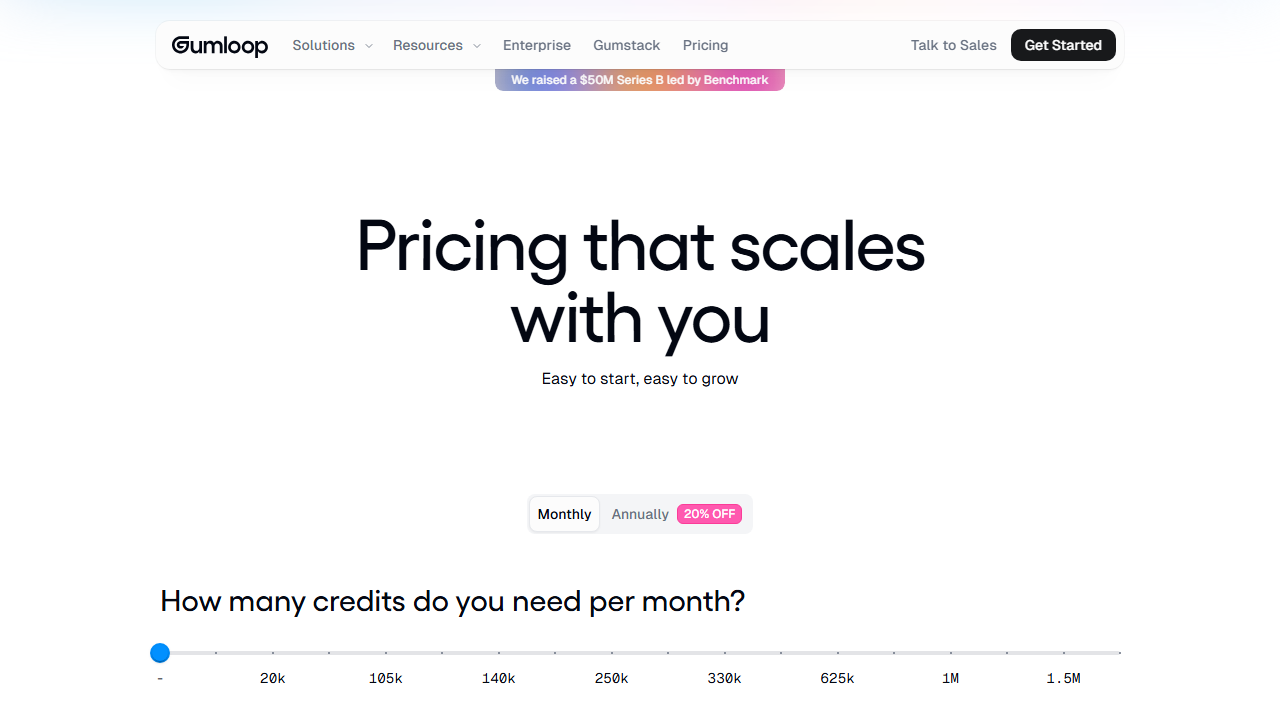
Gumloop’s pricing in 2026 reflects its positioning as a premium AI automation platform. The costs are higher than basic automation tools but lower than hiring developers or buying separate AI services. I evaluated each tier based on the AI execution limits, which are the primary constraint.
- Free: $0/month – Unlimited workflows, limited AI executions per month, basic integrations, and community support. Ideal for learning and small personal projects.
- Starter: $29/month – Increased AI execution limits, priority processing, all standard integrations, and email support. This tier suits freelancers running a few client workflows with moderate AI usage.
- Pro: $99/month – Higher AI execution quotas, advanced models including GPT-4 class options, custom model fine-tuning, webhook triggers, and priority support. Best for freelancers with multiple active client projects or high-volume automations.
- Team: $299/month – Unlimited AI executions for most use cases, team collaboration features, shared workspaces, SSO, and dedicated account management. Designed for small agencies rather than solo freelancers.
The free tier is genuinely useful for learning the platform, but the AI execution limits make it impractical for production client work. A single document processing workflow with multiple AI nodes can consume your monthly quota in a few runs. I treated the free tier as an extended trial and upgraded to Starter within a week of serious use.
At $29 per month, the Starter plan is reasonable for freelancers who want to add AI automation to their service stack. The Pro plan at $99 per month is justifiable if you are running high-volume workflows or need access to the most capable AI models. Compared to subscribing to multiple AI tools separately, Gumloop consolidates costs into a single platform.
One cost consideration is that AI execution limits are consumed by every AI node in a workflow. A workflow with five AI steps that runs a hundred times consumes five hundred AI executions. I optimize my workflows by combining prompts where possible and using non-AI nodes for data transformation to preserve quota.
Pros and Cons
My time with Gumloop revealed genuine innovation alongside real limitations. Here is the honest breakdown from a freelancer’s perspective.
Pros
- The AI-native approach enables automations that are impossible in traditional rule-based tools.
- Natural language prompts lower the barrier to entry for complex AI operations.
- Document processing accuracy is surprisingly good for standard formats.
- The visual node editor makes workflow logic transparent to clients and teammates.
- Templates provide fast starting points for common freelance use cases.
- Content generation workflows save significant time for marketing freelancers.
- AI-powered decision nodes handle nuanced routing better than rigid conditionals.
- Collaboration features support team projects without extra cost.
- The Starter plan at $29 per month is accessible for most freelancers.
- Regular platform updates add new integrations and AI models frequently.
Cons
- AI execution limits on lower tiers run out faster than expected for complex workflows.
- Workflow execution can be slow when multiple AI nodes run in sequence.
- The integration library is smaller than established competitors like Zapier or Make.
- Occasional platform instability caused failed runs during my testing period.
- Advanced prompt engineering is still required for consistent high-quality AI outputs.
- Web scraping capabilities are limited on JavaScript-heavy modern websites.
- Debugging AI nodes can be opaque when outputs differ from expectations.
- The platform is newer than competitors, so long-term reliability is less proven.
Who Should Use Gumloop?
Gumloop is best for freelancers who want to incorporate artificial intelligence into their automation services without building custom infrastructure. Marketing consultants, virtual assistants, content creators, operations specialists, and data processors will find the most value. If your client work involves reading documents, generating text, classifying information, or making judgment calls about data, Gumloop can automate significant portions of that work.
Freelance writers can use Gumloop to create first drafts, outlines, and research summaries at scale. Social media managers can build content calendars and posting pipelines that run with minimal intervention. Virtual assistants can automate inbox triage, meeting scheduling, and document organization for busy executives.
On the other hand, pure developers who want maximum control over AI models and infrastructure will likely find Gumloop too abstract. If you prefer writing Python scripts that call OpenAI’s API directly, the visual builder may feel restrictive. Similarly, if you only need simple trigger-action automations without AI, cheaper tools like Lindy review alternatives or basic Zapier plans make more financial sense.
Agencies serving multiple clients should evaluate the Team plan carefully. The shared workspace and collaboration features justify the higher cost if you have multiple team members building automations. Solo freelancers should start with Starter and upgrade only when workflow volume demands it.
Final Verdict
This Gumloop review concludes that the platform is a genuinely useful addition to the freelancer automation toolkit, particularly for those who want to offer AI-powered services. The visual builder, natural language prompts, and document processing capabilities make it possible to build impressive automations without writing code. I have used Gumloop to deliver client projects that would have required multiple separate tools or significant custom development.
However, Gumloop is not without flaws. The AI execution limits require careful management, the integration ecosystem is still growing, and occasional platform instability reminds you that this is a younger product than its competitors. You should approach Gumloop as a powerful but evolving tool rather than a perfect solution.
I recommend starting with the free tier to explore whether the AI-native model fits your workflow style. If it does, the Starter plan at $29 per month is a low-risk entry point. Monitor your AI usage closely, optimize workflows to combine steps where possible, and set realistic expectations with clients about AI accuracy. For freelancers ready to embrace AI automation, this Gumloop review gives a conditional but positive recommendation.
Frequently Asked Questions
What makes Gumloop different from Zapier?
Gumloop is built around AI as a core component, while Zapier focuses on traditional app-to-app automation. Zapier connects triggers and actions between services using fixed rules. Gumloop adds AI nodes that can read documents, generate content, and make semantic decisions. For AI-heavy workflows, Gumloop is more capable. For simple integrations, Zapier has broader app support.
Do I need coding skills to use Gumloop?
No, Gumloop is designed for non-coders. The visual builder and natural language prompts allow you to build complex workflows without writing code. However, understanding basic data concepts like JSON and variables helps. For advanced integrations, you may need to use HTTP request nodes, which require reading API documentation.
How accurate is Gumloop’s document processing?
For standard PDFs, Word documents, and images with clear text, accuracy is typically 85 to 95 percent depending on document complexity. Handwritten text, poor scans, and unusual layouts reduce accuracy. I always recommend testing with sample documents from your specific use case before committing to a client deliverable.
Can I use my own AI models with Gumloop?
The Pro plan and above support custom model configurations and API keys for some external AI providers. However, Gumloop is primarily designed to work with its managed AI infrastructure. If you need complete control over model selection and fine-tuning, you may be better off building custom solutions with direct API access.
Is Gumloop suitable for high-volume client work?
Gumloop can handle moderate to high volumes on the Pro and Team plans, but AI execution costs scale with usage. For very high-volume scenarios with thousands of daily runs, traditional automation tools or custom code may be more cost-effective. Monitor your usage dashboard closely and set up alerts before approaching your limits.
How does Gumloop compare to Stack AI?
Both platforms focus on AI workflow automation, but Stack AI review platforms tend to emphasize enterprise features and stricter governance. Gumloop is more approachable for individual freelancers and smaller projects. Stack AI may be preferable for large organizations with compliance requirements, while Gumloop wins on ease of use and pricing accessibility.
Can I schedule workflows to run automatically?
Yes, Gumloop supports scheduled execution with intervals ranging from every few minutes to monthly. You can also trigger workflows via webhooks, email, form submissions, and connected app events. The scheduling interface is simple and lets you set timezone-aware run times for client-specific business hours.
What happens if an AI node produces incorrect output?
Gumloop provides execution logs that show exactly what each AI node received and produced. You can retry individual nodes, modify prompts, and add validation steps that check AI outputs for expected formats. I recommend building error handling into critical workflows, such as sending suspicious outputs to a human review queue rather than processing them automatically.
Does Gumloop offer customer support?
Free users have access to community support through forums and documentation. Paid plans include email support, with faster response times on higher tiers. During my testing, I received helpful responses to technical questions within 24 hours on the Starter plan. The documentation is thorough and includes video tutorials for common workflows.
Can I export my workflows from Gumloop?
Gumloop allows exporting workflow definitions in a JSON format that can be imported back into the platform or shared with others. However, there is no universal export format that works with other automation tools. If platform independence is a priority for your client work, document your workflow logic separately as insurance against vendor lock-in.