
Runway ML Review 2026: Best AI Video Tool for Freelancers?
Quick Verdict
Runway ML sits at a genuinely interesting crossroads for freelance video creators. It is not the cheapest way to edit video. It is not a replacement for professional post-production tools. But it does something neither Adobe Premiere nor DaVinci Resolve can do: it lets you remove backgrounds, generate video from text, extend clips, and automate tedious frame-level tasks without a single manual selection or mask.
If you are a freelance video creator producing social content, short-form ads, explainer videos, or client reels, Runway ML changes what is possible in the hours you have available. The question is whether the output quality and the pricing structure make sense for the kind of work you actually do.
The short answer: for freelancers producing high-volume short-form content or needing AI-assisted effects without a full studio pipeline, Runway ML is worth serious consideration. For those doing primarily interview-based or documentary-style work, the value is narrower.
We tested Runway ML across real freelance video projects including social media reels, product ad creation, background removal, text-to-video generation, and AI-assisted colour work. This Runway ML review breaks down what it does well, where it falls short, and who should actually be using it in 2026.
Our Overall Rating: 4.1 out of 5
| Category | Score |
|---|---|
| Ease of Use | 4.0/5 |
| AI Video Quality | 4.2/5 |
| Background Removal | 4.8/5 |
| Text-to-Video | 3.8/5 |
| Speed | 4.0/5 |
| Value for Money | 3.8/5 |
| Editing Workflow | 4.1/5 |
| Overall | 4.1/5 |
My First Week with Runway ML: What Actually Happened
I came to Runway ML with a specific problem. A client needed fifteen short product videos for an e-commerce launch in four days. Each one needed a clean white background, branded motion graphics, and a polished feel. My usual workflow would have taken three times that long.
The first thing I tried was Background Removal. I uploaded a clip of a product filmed on a cluttered desk. Within about twelve seconds, Runway ML had cleanly isolated the product with edge quality I would have spent forty minutes achieving manually in After Effects. That single result changed my expectation for everything that followed.
Over the next four days I used Runway ML to remove backgrounds across all fifteen clips, generate motion in static product images using Image to Video, and rough-cut a music-synced reel using the AI-assisted timeline features. The project came in a day early.
The friction showed up when I pushed into text-to-video generation. The results were visually interesting but inconsistent. Prompt adherence was sometimes strong, sometimes baffling. The tool generated a convincing overhead coffee shop atmosphere from a short text prompt, then completely misread a request for a clean office environment and produced something that looked like a brutalist art installation.
By the end of the week I had a clear picture. Runway ML is an exceptional tool for AI-assisted editing and transformation of real footage. It is a promising but unreliable tool for pure generative video creation. For freelancers, that distinction shapes everything about how you should approach it.
How to Get Started with Runway ML
Getting started is straightforward even if you have never used AI video tools before. Here is the full process from scratch.
Step 1: Create a Runway ML account
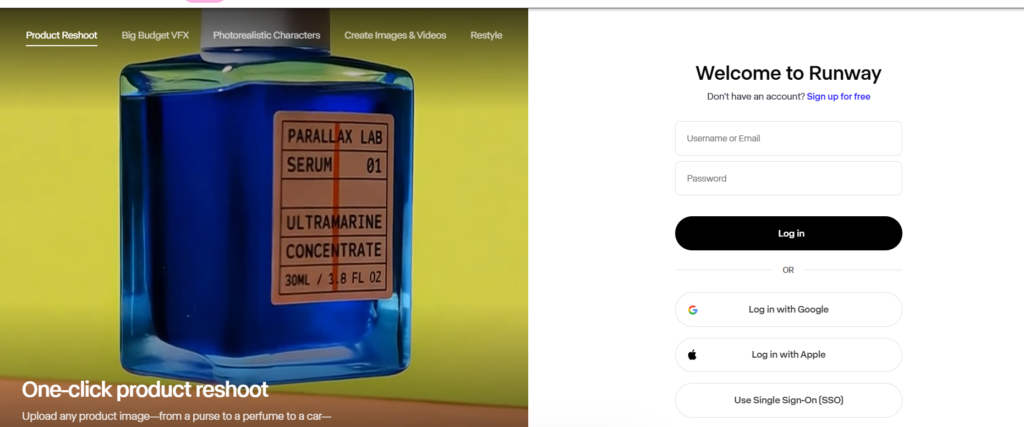
Go to runwayml.com and click Get Started Free. You can sign up with a Google account or an email address. The free plan gives you limited credits to test the core tools before committing to a paid plan. No credit card is required to start.
Step 2: Explore the dashboard and tools
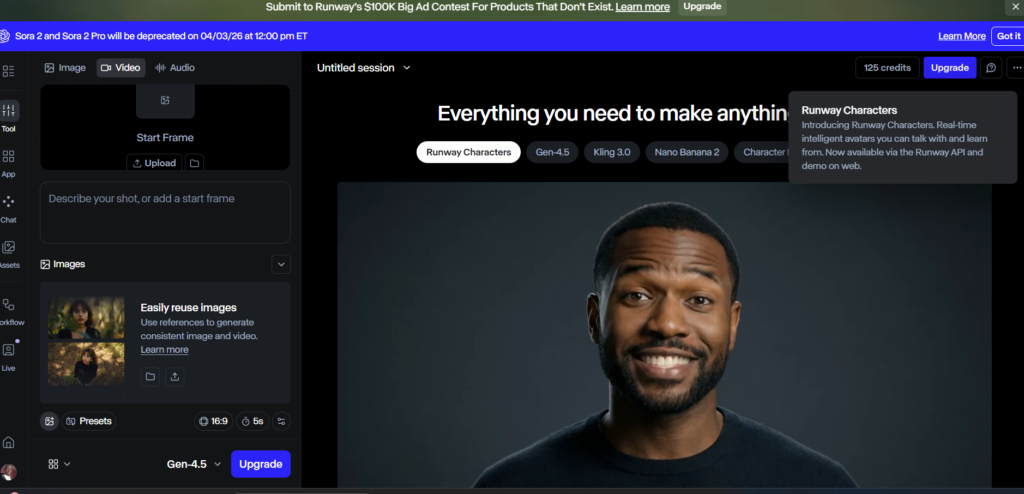
Once inside, Runway ML presents its tools as individual modules rather than a single editing timeline. You will see options including Video to Video, Image to Video, Background Removal, Text to Video, Inpainting, and more. Start with Background Removal if you have existing footage, or Image to Video if you want to animate still images. These two tools deliver the most immediately useful results for new users.
Step 3: Upload your first clip and run Background Removal
Click Background Removal, upload a video clip, and click Remove Background. Runway ML processes the clip and returns a version with the background cleanly isolated. You can download it as a transparent-background file ready for compositing in your editing software of choice. This single workflow is worth testing on day one to calibrate your expectations for the tool’s quality.
Step 4: Try Gen-3 Alpha for text-to-video
Runway ML’s generative video engine is called Gen-3 Alpha. Navigate to the Text to Video tool, write a scene description, select a visual style reference if available, and hit Generate. Each generation consumes credits. Start with short clips (four seconds) to conserve credits while learning how the tool responds to different prompt styles. Specific, scene-level prompts outperform abstract or emotional descriptions.
Step 5: Build your first AI-assisted editing workflow
The most practical use of Runway ML for freelancers is as a pre-processing step before your main edit. Export transformed clips from Runway ML and bring them into Premiere Pro, Final Cut Pro, or DaVinci Resolve for the full edit. This hybrid approach gives you the AI capabilities of Runway ML without requiring you to abandon your existing editing software. Within a few projects you will have a reliable pipeline that meaningfully reduces your production time.
Runway ML: What It Actually Does for Freelance Video Creators
Runway ML is not a single tool. It is a collection of AI-powered video capabilities accessed through a unified interface. Understanding what each module does well is essential to using it efficiently as a freelancer.
Background Removal
This is Runway ML’s most consistently impressive feature. The tool uses AI masking to isolate subjects from backgrounds across moving video clips with edge quality that rivals manual rotoscoping. For product videos, talking head content, and social reels, this feature alone justifies the subscription for high-volume creators. It is not perfect on complex hair or fast motion, but for the majority of freelance video work it delivers results in seconds that would otherwise take hours.
Gen-3 Alpha: Text to Video
Runway’s generative video model takes a text prompt and produces a short video clip. Results are visually distinctive and sometimes genuinely striking. The tool excels at atmospheric scenes, abstract visuals, and stylised content. It struggles with precise prompt adherence for specific real-world scenarios, consistent character appearance across clips, and photorealistic human subjects. For freelancers creating mood films, brand atmosphere content, or creative social assets, this is a useful addition to the toolkit. For clients expecting precise visual control, it requires careful expectation-setting.
Image to Video
Upload a still image and Runway ML animates it into a short video clip. This is a highly practical tool for freelancers working with clients who have still photography but no video budget. Product images, lifestyle shots, and brand photography can all be transformed into usable social video content. Motion quality varies by image type, but for e-commerce and social media use cases, the results are frequently good enough to use directly with minimal editing.
Video to Video
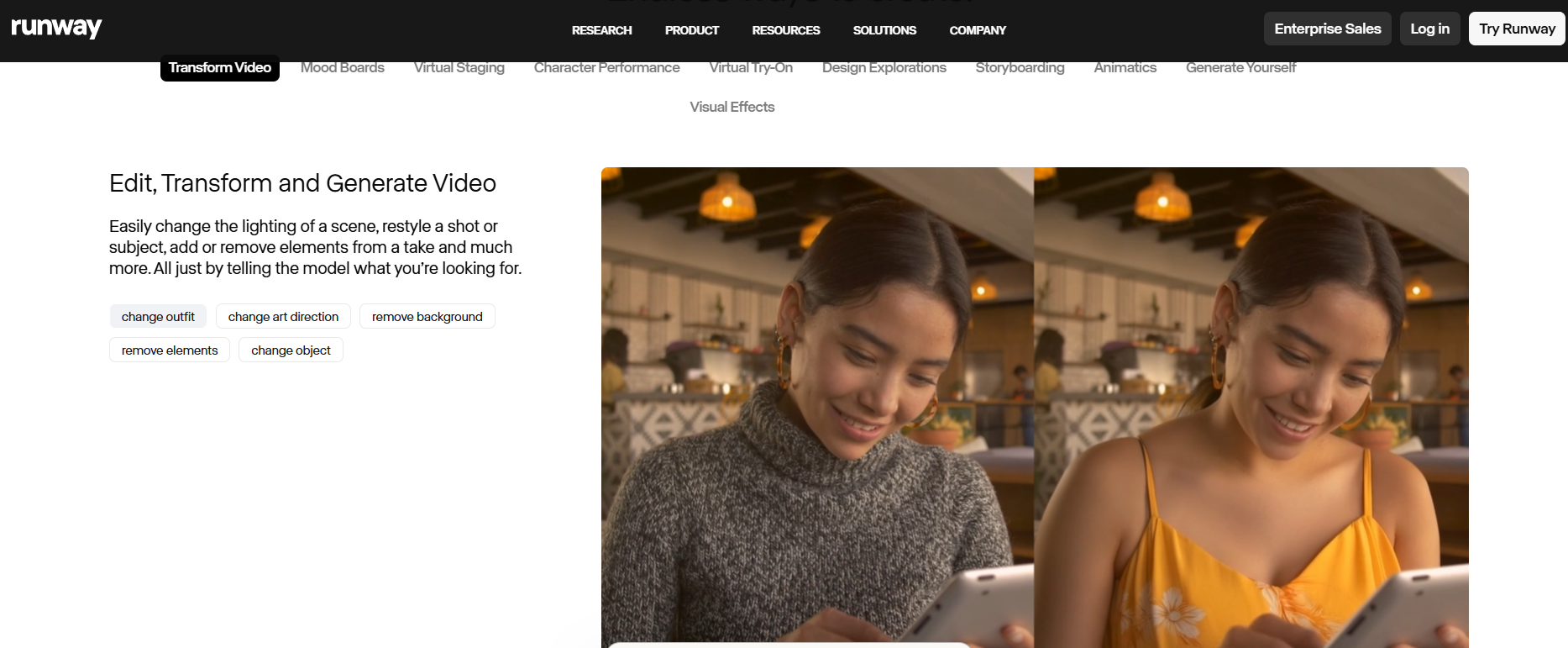
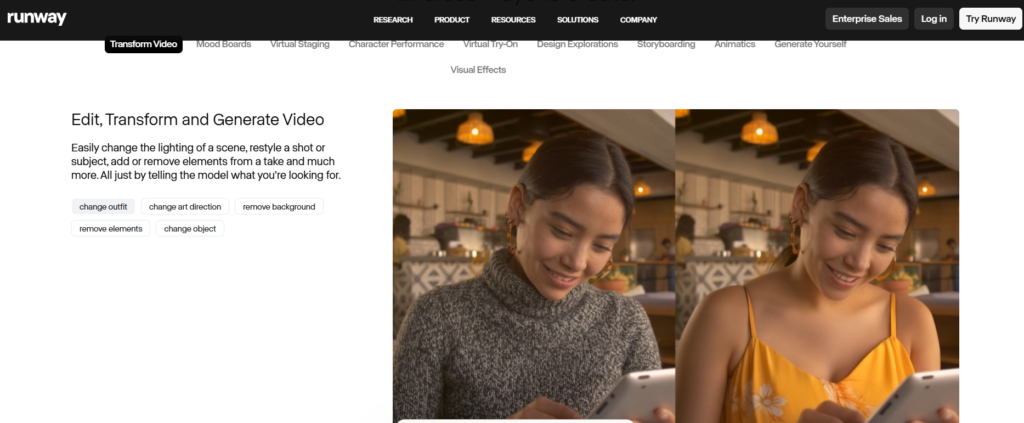
This feature applies a visual style or transformation to existing footage. You can use it to make standard footage look like animation, apply a specific artistic aesthetic, or alter the visual atmosphere of a clip. For freelancers looking to create stylised content from real footage without reshooting, this opens up creative options that would otherwise require significant post-production time or budget.
Inpainting
Inpainting lets you mask and remove objects from video frames, filling the gap with AI-generated content that matches the surrounding scene. This is genuinely useful for removing unwanted elements from footage without reshooting. Results are strongest on relatively static backgrounds. On complex or moving backgrounds the AI fill can be visible on close inspection, but for web and social output at standard resolutions it is often usable.
Motion Brush
Motion Brush lets you paint motion onto specific areas of a still image or video frame, directing the AI to animate particular elements. You can make clouds drift, water ripple, or fabric move without animating the entire image. For freelancers working in lifestyle, nature, or atmospheric content, this adds a level of creative control to image animation that the standard Image to Video tool does not provide.
Runway ML Pricing
Runway ML uses a credit-based pricing model. Credits are consumed each time you use a generative tool. Here is the current pricing structure across plans.
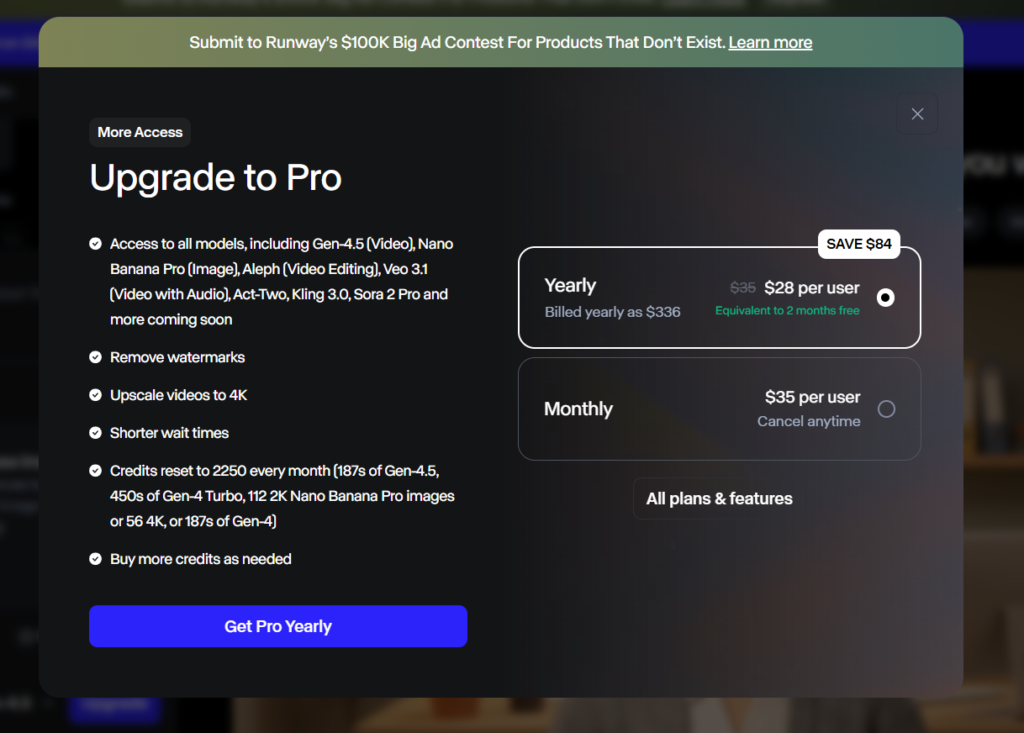
| Plan | Monthly Cost | Credits per Month | Best For |
|---|---|---|---|
| Free | $0 | 125 (one-time) | Testing the tools |
| Standard | $15/month | 625 | Occasional freelance use |
| Pro | $35/month | 2,250 | Regular freelance production |
| Unlimited | $95/month | Unlimited (watermarked) | High-volume creators |
| Enterprise | Custom | Custom | Teams and agencies |
Credit consumption varies by task. Background removal on a short clip uses fewer credits than a Gen-3 text-to-video generation. Freelancers who primarily use Runway ML for background removal and Image to Video will find credits last significantly longer than those relying heavily on generative video output.
The Pro plan at $35 per month is the most practical entry point for working freelancers. The 2,250 monthly credits cover a realistic production volume across a mix of tasks. The Standard plan at $15 per month is sufficient for occasional use but will run out quickly for anyone using generative video regularly.
The Unlimited plan is worth noting: the unlimited generations come with a Runway watermark, which is unsuitable for client work. Watermark-free unlimited use requires an Enterprise arrangement. This is a meaningful limitation for freelancers considering the Unlimited plan for production work.
Challenges Freelancers Face with Runway ML
Challenge 1: Credit consumption is difficult to predict
What happens: you start a new project, experiment with several text-to-video generations to get the prompt right, and burn through a week’s worth of credits before producing a single usable clip.
Why it happens: Generative video tasks consume significantly more credits than transformation tasks. Experimentation is inherent to the text-to-video workflow, and the cost of that experimentation adds up quickly on lower-tier plans.
The fix: develop your prompts in a low-cost or free generative tool before bringing refined prompts into Runway ML. Use the four-second clip option during testing and only generate longer clips once your prompt is producing consistent results. Track your monthly credit usage against project volume before upgrading plans.
Challenge 2: Text-to-video output is inconsistent across generations
What happens: you generate a video clip that is exactly what you need, then generate the same prompt again for a slightly different version and the result is completely different in style, composition, and mood.
Why it happens: generative models have inherent randomness built in. Runway ML does not currently offer a reliable seed or consistency mechanism that guarantees repeatable outputs from the same prompt.
The fix: when you get a result you like, download it immediately and treat it as a unique asset rather than something you can reproduce. Build client deliverables around what you have generated rather than planning sequences that require visual consistency across multiple generated clips. For sequences requiring visual consistency, use real footage with AI transformation rather than pure text-to-video generation.
Challenge 3: Background removal degrades on complex edges
What happens: you run background removal on a clip and the subject is cleanly isolated in most frames, but hair, flyaways, or fast-moving edges produce visible artefacts that are noticeable at full resolution.
Why it happens: AI masking models trade speed for perfection. Runway ML’s background removal is optimised for speed and general accuracy, not the precision edge refinement available in dedicated tools like After Effects or Davinci Resolve’s neural engine at maximum quality settings.
The fix: use Runway ML’s background removal for web and social output where minor edge imperfections are not visible at viewing size. For broadcast or large-format work requiring pixel-perfect edges, use Runway ML as a starting point and refine in your editing software. Set client expectations accordingly based on the intended output format.
Challenge 4: The interface is not a full video editor
What happens: you complete a series of AI transformations in Runway ML and then realise you still need to bring everything into a separate editor to cut the final video, add audio, add titles, and export.
Why it happens: Runway ML is built around individual AI tools rather than a comprehensive editing timeline. It complements editors like Premiere Pro and Final Cut but does not replace them.
The fix: treat Runway ML as a pre-production and effects tool, not a finishing editor. Build a two-stage workflow: Runway ML for AI processing and transformation, your primary editor for assembly and finishing. This pipeline approach prevents frustration and produces better results than trying to do everything in one tool.
Runway ML Pros and Cons
Pros
- Background removal quality is genuinely impressive for AI-assisted masking at speed
- Image to Video opens up animation options for clients with still assets and no video budget
- Text-to-video produces creative results for atmospheric and stylised content
- Inpainting removes unwanted objects from footage without reshooting
- Motion Brush gives creative direction to image animation
- Video to Video enables stylistic transformation of existing footage
- Free plan with credits lets you evaluate before committing
- Regular model updates with meaningful capability improvements
Cons
- Credit costs for generative video add up quickly for high-volume users
- Text-to-video output is inconsistent and difficult to reproduce precisely
- Not a complete video editor: requires integration with external editing software
- Unlimited plan includes watermarks, making it unsuitable for client work
- Complex edge cases in background removal still require manual refinement
- Processing time for longer clips can create workflow delays
- Pricing is not straightforward for new users unfamiliar with credit models
Runway ML vs Alternatives for Freelancers
The honest comparison most reviews avoid: Runway ML is the strongest all-in-one AI video tool currently available to independent creators, but it is not the right tool for every use case. Here is how it compares to the main alternatives.
| Feature | Runway ML | Pika Labs | Stable Video Diffusion | Adobe Firefly Video |
|---|---|---|---|---|
| Background Removal | Excellent | Not available | Not available | Available (Premiere) |
| Text to Video | Strong | Good | Good | Limited |
| Image to Video | Strong | Strong | Strong | Available |
| Inpainting | Available | Limited | Available | Available |
| Workflow Integration | Export-based | Export-based | Technical setup | Native in Premiere |
| Price per Month | From $15 | Free tier available | Free (self-hosted) | Included in CC |
| Best For | Freelance production | Quick social content | Technical users | Adobe CC users |
Where Runway ML wins is breadth and output quality. No single alternative matches it across background removal, transformation, and generation in one accessible interface. Pika Labs is a strong competitor for pure text-to-video social content and has a more generous free tier. Adobe Firefly Video is the right choice for freelancers already embedded in the Adobe Creative Cloud ecosystem. Stable Video Diffusion is powerful but requires technical comfort to run effectively and is not suited to most freelancers’ workflows.
Who Should Use Runway ML
Runway ML is the right fit for freelance video creators who produce high volumes of short-form content and need AI assistance to compress their production time. If you regularly deliver social media reels, product videos, brand content, or e-commerce video, the background removal and Image to Video tools alone can meaningfully reduce your hours per project.
It is also a strong choice for freelancers working with clients who have still photography assets but limited video budgets. The ability to animate existing imagery into usable video content opens up service offerings that were not economically viable before AI tools reached this quality level.
Freelancers experimenting with creative and generative video formats for content-forward clients will find Runway ML’s text-to-video and Video to Video tools genuinely expansive for mood films, brand storytelling, and experimental social content.
Who Should Not Use Runway ML
If your primary work is interview-based, documentary, or narrative video where the footage itself is the content, Runway ML adds limited value to your core editing workflow. Its tools are most powerful when transforming or generating footage, not when cutting, timing, and pacing real-world material.
Freelancers looking for a single tool that replaces their editing software will be disappointed. Runway ML is a specialist AI toolkit, not a comprehensive editor. If you need a full editing environment with AI assistance, Adobe Premiere Pro with Firefly integration is currently a better fit for an all-in-one solution.
Budget-constrained freelancers should assess their actual use case carefully before subscribing. If you only need background removal occasionally, some editing software handles this natively without an additional subscription. The value of Runway ML scales with production volume.
What’s New in Runway ML for 2026
Runway shipped significant updates heading into 2026. The most impactful for freelancers is Gen-3 Alpha Turbo, a faster and more cost-efficient version of their generative model that produces results with lower credit consumption per generation. This meaningfully improves the economics of using text-to-video for production work rather than just experimentation.
Runway also expanded their Act One feature, which enables facial expression and performance transfer from a source video to a generated character. For freelancers creating branded characters or animated spokesperson content, this removes one of the major consistency barriers that made character-based generative video impractical for professional work.
The camera control features introduced in late 2025 allow users to specify camera motion, angle, and movement direction within generated clips. This is a significant step toward the kind of directional control that professional video work requires and was previously only achievable through real camera operation.
Final Verdict
The Runway ML review verdict for freelance video creators is clear: if short-form video, product content, or social media production is a significant part of your business, this is the most capable AI toolkit currently available to independent creators. The background removal, Image to Video, and transformation features deliver genuine time savings on real production work. The generative video tools are impressive and improving rapidly, but still require realistic expectations around consistency and precision.
Start with the free plan to test background removal and Image to Video on your own footage. If those two tools alone save you meaningful hours in the first week, the Pro plan at $35 per month will pay for itself within a single project. If your work does not map to those use cases, the tool may not be the right fit at this stage.
For freelancers building a broader AI production stack, our Descript Review covers AI-powered audio and video editing with strong transcript-based workflows, and our Adobe Firefly Review covers the AI tools built directly into the Creative Cloud ecosystem.
Frequently Asked Questions
Is Runway ML worth it for freelance video creators?
Yes, for freelancers producing high volumes of short-form, social, or product video content. The background removal and Image to Video tools deliver genuine time savings at a quality level that justifies the Pro plan at $35 per month. For lower-volume or narrative-focused work, the value proposition is narrower and worth evaluating against your specific workflow before committing.
Can Runway ML replace my video editing software?
No. Runway ML is an AI toolkit, not a full video editor. It does not have a comprehensive editing timeline, audio mixing, colour grading suite, or export options comparable to Premiere Pro, Final Cut Pro, or DaVinci Resolve. The most effective approach is to use Runway ML for AI processing and transformation, then bring the results into your primary editor for assembly and finishing.
How many credits does Runway ML use per video generation?
Credit consumption varies by task and clip length. A four-second Gen-3 text-to-video generation uses approximately 5 credits. Background removal on a short clip uses fewer credits than generative tasks. Runway ML displays the credit cost before you run each generation, allowing you to track usage. The Pro plan’s 2,250 monthly credits supports a realistic mix of background removal, image animation, and moderate generative video use across a typical freelance month.
How does Runway ML compare to Pika Labs?
Pika Labs focuses specifically on text-to-video and image-to-video generation and has a more generous free tier. Runway ML offers a broader toolkit including background removal, inpainting, and video transformation features that Pika does not provide. For pure social media generative content, Pika Labs is a strong and cost-effective alternative. For production work requiring background removal and a wider range of AI video tools, Runway ML offers more for the investment.
Does Runway ML work with footage shot on a phone?
Yes. Runway ML processes standard video file formats including MP4 and MOV, regardless of the camera source. Phone footage works well for background removal, image transformation, and inpainting tasks. For generative features, the quality of the source footage affects the quality of transformations but the tool is not limited to professional camera formats. Most freelancers working with social content will find phone footage integrates cleanly into the Runway ML workflow.