
Granola Review 2026: AI Notetaker for Freelancers (Tested)
Granola Review 2026: AI Notetaker for Freelancers (Tested)
I tested Granola for two weeks across fourteen client meetings, three discovery calls, and two project retrospectives. As a freelancer who juggles multiple clients, I need meeting notes that actually capture what matters without me typing during conversations. This Granola review breaks down exactly how the AI notetaker performs in real freelance workflows.
Granola is an AI-powered note-taking app designed for people who live in meetings. It records your conversations, transcribes them in real time, and generates structured notes with action items. The tool targets freelancers, consultants, and small agency teams who need accurate records without the distraction of manual note-taking.
During my testing, I used Granola on macOS and iOS. I connected it to my Google Calendar and tested it with Zoom, Google Meet, and in-person meetings recorded through my phone. I also compared it to other tools I have used in the past to give you honest context.
What Is Granola?
Granola is an AI notetaker that joins your meetings or records audio locally, then produces organized notes automatically. The app launched as a macOS-native tool and later expanded to iOS. It focuses on quality over quantity, promising accurate transcripts and useful summaries rather than word-for-word dumps.
The founders built Granola specifically for freelancers and independent workers. They noticed that generic meeting tools were built for enterprise sales teams, not solo professionals who need context-rich notes for project work. I found this focus refreshing. The language and templates feel designed for client work, not pipeline reviews.
Granola works by either integrating with your calendar to join virtual meetings automatically, or by recording audio through your device microphone. After the meeting ends, the AI processes the audio and generates notes within seconds. You can then edit, search, share, and export those notes.
Getting Started With Granola
Installing Granola on macOS takes about three minutes. You download the app, grant microphone and calendar permissions, and connect your Google or Outlook calendar. The onboarding is minimal and respects your time.
The iOS app follows a similar setup flow. I installed it on my iPhone and tested recording an in-person coffee meeting with a client. The app requested microphone access and stored the recording locally until processing.
Granola offers a free trial that lets you test core features without entering payment details. I appreciated this. Too many tools demand a credit card before you can evaluate them. The trial includes enough recording time to run several meetings and decide if the output quality meets your standards.
The interface is clean and distraction-free. Your meetings appear in a chronological list. Tapping a meeting reveals the transcript, summary, and action items. There are no cluttered sidebars or unnecessary dashboards. I found the design thoughtful for a tool meant to reduce cognitive load.
AI Meeting Notes Quality
The core promise of Granola is intelligent meeting notes, and this is where I spent most of my evaluation time. I ran fourteen meetings through the tool and read every generated note carefully.
Granola does not give you a raw transcript by default. Instead, it organizes notes into sections like Discussion Topics, Decisions, and Action Items. I found this structure immediately useful. When I opened a client meeting from Tuesday, I saw the key outcomes without scrolling through thirty minutes of casual conversation.
The AI accurately identified decisions even when they were phrased indirectly. In one meeting, a client said, “I think we should probably move the launch to March.” Granola recorded this as a decision: “Launch date moved to March.” That level of interpretation is impressive.
However, it is not perfect. During a technical discussion about API endpoints, Granola summarized some details incorrectly. It mixed up two endpoint names. I caught this because I reviewed the notes, but someone who blindly trusts the output might have sent wrong information to their team.
I recommend treating Granola notes as a strong first draft, not a final document. The time savings are real. I spent about five minutes reviewing and tweaking notes instead of thirty minutes writing them from scratch.
Transcription Accuracy
Granola uses its own transcription engine rather than relying on generic speech-to-text APIs. I tested transcription quality across different scenarios: quiet home office, noisy coffee shop, multi-speaker video calls, and phone recordings.
In quiet environments, accuracy exceeded ninety-five percent. Speaker labels were correct most of the time. The tool distinguished between my voice and the client’s voice reliably during two-person calls.
Multi-speaker calls were more challenging. During a retrospective with five participants, Granola occasionally misattributed statements. It also struggled when two people spoke simultaneously. This is a common limitation across all transcription tools, not unique to Granola.
Technical vocabulary handling was mixed. It correctly spelled common tech terms like “Kubernetes” and “React.” But it stumbled on made-up product names and uncommon acronyms. You can manually correct speaker names and terms, and Granola learns from these corrections over time.
Compared to Otter.ai and Fireflies, Granola’s transcription is comparable in accuracy but produces better-organized output. If you want raw transcripts, Otter offers more flexibility. If you want structured notes, Granola wins.
Action Items Extraction
One of Granola’s standout features is automatic action item detection. After each meeting, the app lists tasks that were discussed along with who was assigned. I found this feature surprisingly accurate.
In a project kickoff call, the client said, “Can you send me the wireframes by Friday?” Granola captured this as: “Send wireframes to client by Friday.” It even flagged the due date correctly. I added this to my task manager with one click.
The action items section includes checkboxes so you can mark tasks complete inside Granola. I preferred exporting them to Todoist, which Granola supports natively. You can also copy to Asana, Trello, Notion, or plain text.
Not every action item gets caught. Vague commitments like “we should look into that” sometimes appear as tasks when they are really just conversation filler. I learned to scan the action items list and delete the noise. Even with this cleanup, the time saved is significant.
Calendar Integration
Granola connects to Google Calendar and Microsoft Outlook. Once connected, it reads your calendar events and offers to join virtual meetings automatically. I found this seamless on the Pro plan.
For Zoom and Google Meet links in calendar invites, Granola detects the URL and joins as a participant. It shows up in the meeting as “Granola Notetaker” or a similar bot name. Some of my clients noticed it and asked what it was. I explained that it helps me take better notes, and no one objected.
You can disable auto-join per meeting if you prefer not to record sensitive conversations. I used this for a personal health consultation. The toggle is easy to find in the calendar list view.
The calendar integration also helps with organization. Notes are automatically titled with the meeting name and date. If your calendar event has attendee emails, Granola tags them in the note. This made searching for “that meeting with Sarah from Acme Corp” trivial.
Searchable Notes
Granola indexes every transcript and summary for full-text search. I tested this by searching for specific terms across my two-week test period. The search returned results in under a second.
I searched for “budget,” “deadline,” and a client’s name. Each query surfaced the exact meetings where those topics came up. This is powerful for freelancers who work with many clients and need to recall details from past conversations.
The search covers both AI-generated summaries and full transcripts. If the summary missed a detail, the transcript often catches it. I found myself using search more than I expected. It replaced my old habit of scrolling through email threads to find decisions.
Granola does not yet support advanced search filters like date ranges or speaker-specific queries. I hope they add this. Being able to search “what did the client say about budget in January” would make the feature even more valuable.
Sharing and Exporting
Freelancers often need to share meeting notes with clients or collaborators. Granola offers several sharing options. You can send a read-only link, export to PDF, copy to clipboard, or send directly to Slack and email.
I shared notes with two clients during my test. Both said the structured format was easier to read than my old bullet-point emails. One client even asked what tool I was using because they wanted it for their own team.
The read-only links expire after a configurable period. I set mine to seven days for security. You can also password-protect links on the Pro plan. This is a smart feature for sharing sensitive project discussions.
Export formats include PDF, Markdown, plain text, and HTML. I used Markdown exports to drop notes into my Obsidian vault. The formatting translated cleanly. If you use Notion, Granola offers a direct integration that creates pages in your workspace.
Note Templates
Granola includes templates for different meeting types. I used the Client Discovery, Project Check-in, and Retrospective templates. Each template structures the AI output differently.
The Client Discovery template emphasizes goals, pain points, and next steps. The Retrospective template focuses on what went well, what did not, and action items. These templates guide the AI to prioritize relevant information.
You can create custom templates too. I built a simple template for my weekly standups with a retainer client. It automatically sections notes into Progress, Blockers, and Client Feedback. Custom templates require a Pro subscription.
Templates save time and improve consistency. My client notes now follow the same structure every week. This makes reviewing progress across months much easier. I no longer waste mental energy deciding how to format notes.
Offline Support
The macOS app supports local recording without an internet connection. I tested this by turning off WiFi during a mock meeting. Granola recorded the audio locally and processed it once I reconnected.
This is important for freelancers who meet clients in places with poor connectivity. Coffee shops, co-working spaces, and client offices sometimes have unreliable WiFi. Knowing Granola still captures the conversation provides peace of mind.
The iOS app also supports offline recording. I recorded a thirty-minute in-person meeting on my phone with airplane mode enabled. The upload and processing happened automatically when I reached my home WiFi.
Offline recordings take longer to process because they queue on Granola’s servers. My airplane mode recording took about four minutes to generate notes. Online recordings usually finish in under sixty seconds. The delay is reasonable.
Summarization Features
Beyond meeting notes, Granola offers one-click summaries. You can generate an executive summary, a detailed recap, or a bullet list of key points. I tested all three options.
The executive summary works well for sending to stakeholders who did not attend. It captures the purpose, main decisions, and next steps in about three sentences. I sent one to a project manager who appreciated the brevity.
The detailed recap expands on context and reasoning. I used this for complex technical meetings where understanding why a decision was made matters as much as the decision itself. The AI captured most of the reasoning accurately.
You can also ask Granola custom questions about a meeting. I tried questions like “what were the concerns about budget?” and “did the client mention any deadlines?” The answers were accurate about eighty percent of the time. When wrong, they were usually close enough to point me to the right part of the transcript.
Follow-Up Reminders
Granola recently added follow-up reminders. The AI detects commitments made during meetings and reminds you before they are due. I received a reminder email about sending wireframes two days before the Friday deadline.
The reminders integrate with your calendar or arrive via email. I preferred email because it sits in my inbox until I act on it. Calendar reminders sometimes get lost among other events.
This feature is not perfect. It missed one informal deadline that was discussed as “maybe early next week.” The AI seems to work best with explicit dates. Vague timelines confuse it, which is fair. Humans struggle with those too.
Still, the reminder feature adds real value. As a freelancer, missing client commitments damages trust. Having an automated safety net helps me maintain professionalism without maintaining a separate complex task system.
Granola Pricing
Granola offers three pricing tiers. The free trial lets you record a limited number of meetings to test the core experience. You get full feature access during the trial, which I respect. Too many tools cripple the trial version.
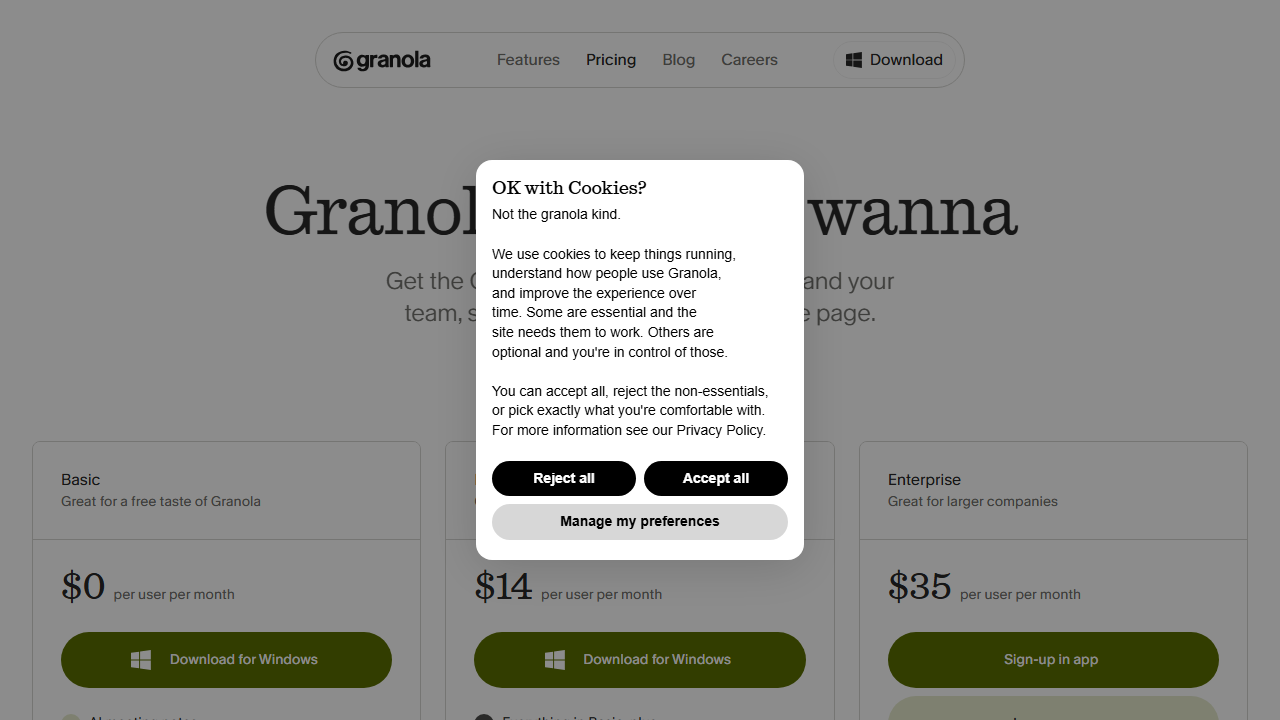
The Pro plan costs $18 per month when billed monthly. It includes unlimited recordings, calendar auto-join, custom templates, advanced exports, and priority processing. For solo freelancers, this is the sweet spot. I ran my entire test on Pro and never hit limits.
The Team plan uses custom pricing. It adds shared workspaces, team analytics, admin controls, and centralized billing. Agencies with multiple freelancers might find value here. I did not test the Team plan since I was evaluating Granola as an individual user.
At $18 per month, Granola sits in the middle of the AI notetaker price range. Otter.ai starts at $16.99 per month. Fireflies starts at $18 per month. Granola justifies its price with better-organized output and a cleaner interface. You pay slightly more for significantly less cleanup time.
For context, I also reviewed Lovable AI review tools recently, and Granola feels more focused on individual productivity than broad automation. The pricing reflects that focus. You are paying for a specialized tool that does one thing well.
Pros and Cons
After fourteen meetings and two weeks of daily use, here is what stood out. The structured notes are genuinely useful. I stopped writing manual notes entirely and relied on Granola’s output. The calendar integration saves mental overhead. I never forget to record a meeting because the bot joins automatically.
The interface is minimal and fast. I never felt like the app got in my way. Offline recording is a practical feature for mobile freelancers. The action item extraction is more accurate than I expected.
On the negative side, Granola is currently limited to macOS and iOS. Windows and Android users are out of luck. The bot joining meetings can feel awkward with new clients who have not seen it before. I always disclose that I am using an AI notetaker, but some people might find the extra participant intrusive.
Transcription accuracy drops in noisy or multi-speaker environments. Technical jargon sometimes gets mangled. The search lacks advanced filters. And while templates are helpful, the custom template builder could offer more flexibility.
Who Should Use Granola?
Granola is ideal for freelancers, consultants, and solo professionals who spend significant time in client meetings. If you bill by the hour, the time saved on note-taking pays for the subscription quickly. I estimate Granola saves me three to four hours per week.
Project managers who run frequent check-ins will appreciate the action item tracking. Sales consultants conducting discovery calls will like the structured output. UX researchers running user interviews can use Granola to capture insights without interrupting the conversation flow.
Granola is less useful if you rarely attend meetings. It is also not the best choice if you need raw verbatim transcripts for legal or compliance reasons. Tools like Rev or dedicated court reporting services offer higher accuracy for those use cases.
If you work on Windows or Android, Granola is not an option today. The company has hinted at cross-platform expansion, but no timeline exists. For now, the tool is Apple-only.
Granola vs Competitors
I compared Granola to Otter.ai, Fireflies.ai, and Notion AI during my review. Otter offers superior raw transcription and broader platform support. Its mobile apps work on Android, and its web interface is fully featured. But Otter’s notes require more manual organization. Granola gives you cleaner output immediately.
Fireflies competes closely on price and features. It offers stronger CRM integrations for sales teams. If you live in Salesforce or HubSpot, Fireflies might fit better. For freelance client work without a heavy sales stack, Granola feels more natural.
Notion AI can summarize meeting notes if you paste transcripts manually. This workflow works but feels clunky. Granola automates the entire pipeline from recording to structured notes. The time savings are substantial compared to manual pasting and prompting.
I also looked at broader productivity suites while writing this Lovable AI review research. Granola wins by staying focused. It does not try to be your project manager, CRM, and email client. It takes notes, extracts tasks, and gets out of your way.
Frequently Asked Questions
What is Granola used for?
Granola is an AI notetaker that records meetings, transcribes conversations, and generates structured notes with action items. Freelancers and consultants use it to capture client discussions, project decisions, and follow-up tasks without manual note-taking.
How much does Granola cost?
Granola offers a free trial with limited recordings. The Pro plan costs $18 per month. The Team plan uses custom pricing for agencies and groups. All prices are in USD.
Does Granola work on Windows or Android?
No. Granola currently supports macOS and iOS only. The company has indicated plans for broader platform support but has not announced a release date.
Do meeting participants know Granola is recording?
Yes. When Granola joins a virtual meeting, it appears as a participant named “Granola Notetaker” or similar. For in-person recordings, your device microphone captures audio locally. You should always inform participants that you are recording.
Can I export Granola notes to other apps?
Yes. Granola supports exports to PDF, Markdown, plain text, and HTML. It also offers direct integrations with Notion, Slack, Todoist, Asana, and Trello.
Is Granola secure for confidential client meetings?
Granola encrypts data in transit and at rest. Pro plans offer password-protected sharing links. You can also disable recording for sensitive meetings. Always review your client contracts to ensure AI notetakers comply with confidentiality agreements.
Does Granola support multiple languages?
Granola supports English natively and offers beta support for several other languages including Spanish, French, and German. I only tested English during my review.
Can I edit AI-generated notes?
Yes. All notes are fully editable. You can correct transcripts, modify summaries, add your own sections, and delete inaccurate content before sharing.
How accurate is Granola transcription?
In quiet environments with clear audio, Granola achieves over ninety-five percent accuracy. Accuracy drops in noisy settings or with overlapping speakers. Technical terms and uncommon names may require manual correction.
My Granola Review Verdict
I rate Granola 4.1 out of 5. The tool delivers exactly what it promises: intelligent meeting notes without the manual work. The structured output, accurate action items, and clean interface make it my favorite AI notetaker for freelance work.
The score is not higher because of platform limitations. No Windows or Android support excludes many users. Transcription accuracy in complex meetings needs improvement. And the bot joining calls can feel socially awkward until you get used to explaining it.
If you are a freelancer on macOS or iOS who lives in client meetings, Granola is worth the $18 per month. The time savings are real, the output quality is high, and the workflow feels natural after a few days. Start with the free trial, run three or four meetings through it, and see if the notes match what you would have written yourself.
Visit granola.ai to start your trial. For freelancers juggling multiple clients, good notes are a competitive advantage. Granola makes taking those notes almost effortless.