
Notion AI Review 2026: The Honest Guide for Freelancers
Quick Verdict
Notion AI sits in a strange position for freelancers. It is not the most powerful AI writing tool available. It is not the cheapest. But it lives inside a workspace tool that many freelancers already use every day, which changes the calculation entirely. If you are already in Notion managing clients, projects, and notes, adding Notion AI is a low-friction decision. If you are not in Notion yet, this review will tell you whether the writing features alone are worth building your entire workflow around. The short answer: probably not. But the full picture is more interesting than that.
We have tested Notion AI across real freelance projects including blog drafting, client proposal writing, meeting note summarisation, and content repurposing. This Notion AI review breaks down what it does well, where it falls short, and who should actually be using it in 2026.
Our Overall Rating: 3.8 out of 5
| Category | Score |
|---|---|
| Ease of Use | 4.5/5 |
| AI Writing Quality | 3.5/5 |
| Workspace Integration | 5.0/5 |
| Speed | 4.0/5 |
| Value for Money | 3.8/5 |
| Templates and Prompts | 4.2/5 |
| Long-Form Content | 3.2/5 |
| Overall | 3.8/5 |
My First Week with Notion AI: What Actually Happened
I had been using Notion as a project management tool for about a year before I turned on the AI features. My expectations were low. I assumed it would be a stripped-down chatbot bolted onto a notes app. What I found was more nuanced than that.
The first thing I used it for was summarising a long client brief I had dumped into a Notion page. I highlighted the text, hit the AI menu, clicked Summarise, and had a clean five-point summary in about four seconds. That alone saved me ten minutes of rereading and annotating. From there I started using it to write first drafts of short pieces directly inside my content calendar database. The quality was inconsistent, but the speed of going from a title and a few bullet notes to a 600-word draft in the same workspace where I track the client, the deadline, and the invoice status was genuinely useful.
The problems showed up when I pushed it harder. Long-form articles above 1,200 words started feeling thin and repetitive. The AI would restate the same point in slightly different words rather than developing the argument. Compared to Jasper or Writesonic for dedicated long-form output, Notion AI is a step behind. But for medium-length content and the thousand small writing tasks that fill a freelancer’s day, it punches above its weight.
How to Get Started with Notion AI
Getting started is simple if you already have a Notion account. If you do not, here is the full process from scratch.
Step 1: Create a Notion account
Go to notion.so and click Get Notion free. You can sign up with a Google account or an email address. The free plan gives you full access to Notion’s workspace features. Notion AI is an add-on that costs extra, but you can trial it before committing.
Step 2: Activate the Notion AI add-on
Inside your workspace, click Settings and Members, then Billing. Notion AI is available as an add-on for $10 per member per month on top of your existing Notion plan. Free plan users can access a limited number of Notion AI responses before being asked to upgrade.
Step 3: Open a page and trigger the AI
Inside any Notion page, press Space at the start of a blank line to open the AI prompt window. You can ask it to draft content, summarise text, translate, change tone, fix grammar, or continue writing from where you left off. You can also highlight existing text and right-click to access AI options from the context menu.
Step 4: Use AI blocks in your databases
Notion AI can generate content directly inside database properties. If you have a content calendar database, you can create an AI-generated summary column that pulls from the page content automatically. This is one of Notion AI’s most genuinely useful features for freelancers managing multiple client projects.
Step 5: Build your first AI-assisted workflow
Start with one repeatable task. A good first workflow: create a template page with a brief section, a target audience field, and key messages bullets. Then add an AI block below that auto-drafts a first paragraph based on those inputs every time you create a new piece from the template. Within a week you will have a system that removes the blank page problem from your writing process entirely.
Notion AI: What It Actually Does for Freelancers
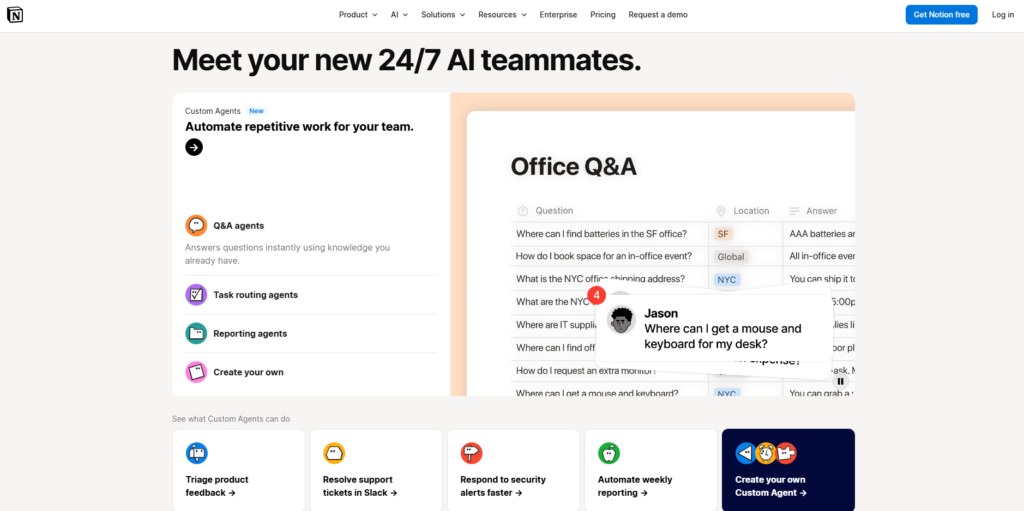
Notion AI is not a standalone AI tool. It is a set of writing and thinking features built into the Notion workspace. That distinction matters because it shapes what the tool is useful for and what it is not built to handle.
Drafting and Writing Assistance
The core writing feature lets you generate text from a prompt or continue writing from an existing block. The output quality for short to medium content is decent. Blog introductions, email drafts, social captions, and client update messages all come out serviceable with minimal prompting. The tone tends to be neutral and professional by default, which works well for B2B freelancers but can feel flat for lifestyle or personality-driven content.
Summarise and Simplify
This is where Notion AI genuinely earns its keep for working freelancers. Highlight any block of text, click Summarise, and you get a condensed version in seconds. This is useful for processing long client briefs, condensing meeting notes into action points, turning research dumps into usable reference material, and creating short-form versions of long-form pieces. Freelancers who spend significant time reading and synthesising information before writing will find this feature alone worth the add-on cost.
Translate and Change Tone
Notion AI can translate content into multiple languages and adjust the tone of existing writing. The tone adjustment feature works reasonably well for shifting between formal and casual registers. For freelancers who write for international clients or manage multilingual content, these features reduce the need for separate translation tools for short-form work.
Q+A Across Your Workspace
One of Notion AI’s newer and more genuinely impressive features is the ability to ask questions about your own Notion workspace. You can type “What did I note from the client call last Tuesday?” or “What is the deadline for the March campaign?” and Notion AI will search your pages and return an answer with a source link. For freelancers who keep all their client information in Notion, this functions like a personal assistant that actually knows your business. It is not perfect, but it is notably useful for anyone with a well-organised Notion setup.
AI Autofill in Databases
Database properties can be set to auto-generate using AI. You can create a Summary column that auto-generates a one-line description of each page, a Tags column that auto-assigns categories based on content, or a Next Steps column that auto-extracts action items from meeting notes. For freelancers managing complex client databases in Notion, this feature alone can save meaningful hours every month.
Notion AI Pricing
Notion AI is an add-on, not a standalone product. Here is what you are looking at across the different Notion plans.
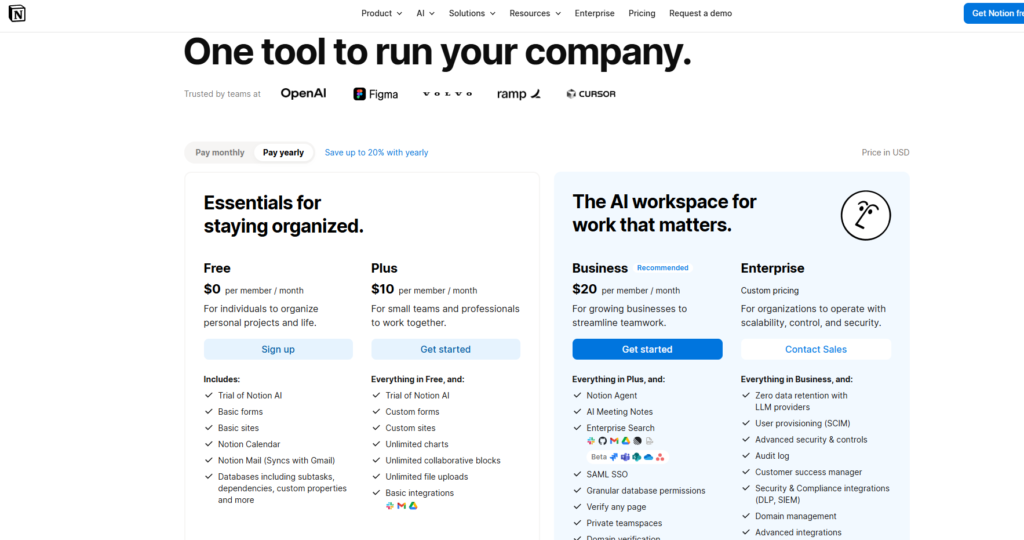
| Plan | Notion Plan Cost | Notion AI Add-on | Total per Month |
|---|---|---|---|
| Free | $0 | $10/member | $10 |
| Plus | $10/member | $10/member | $20 |
| Business | $18/member | $10/member | $28 |
| Enterprise | Custom | $10/member | Custom |
For most solo freelancers, the Free plan plus the Notion AI add-on at $10 per month is the starting point. If you need more blocks and file uploads, the Plus plan at $10 makes the total $20 per month. That sits between the free tiers and the premium plans of dedicated AI writing tools like Jasper and Writesonic, which makes the value comparison less straightforward than it first appears.
The key question is whether you are paying $10 per month for Notion AI or $10 per month for AI features added to a workspace tool you already value. If Notion is already central to how you work, the add-on is reasonable. If you are considering adopting Notion specifically to access the AI features, the maths is harder to justify when purpose-built AI writing tools offer stronger output.
Challenges Freelancers Face with Notion AI
Challenge 1: Output quality drops off on longer content
What happens: you ask Notion AI to write a 1,500-word article and the first 500 words are solid. By the second half the piece is repeating points, losing structure, and sounding noticeably generic. Why it happens: Notion AI is not optimised for long-form output the way dedicated writing tools are. Its context window and generation parameters are tuned for shorter, more contained tasks. The fix: use Notion AI for sections rather than full pieces. Draft each H2 section separately, give it specific context each time, then assemble and edit the full piece yourself. You get better quality by treating it as a paragraph-level assistant rather than an article generator.
Challenge 2: The AI does not know your client context unless you tell it
What happens: you ask Notion AI to write a client update email and it produces something generic that does not reflect the project, the client tone, or the specific situation. Why it happens: unless you are using the Q+A feature with a well-organised workspace, Notion AI generates from the prompt alone. It does not automatically pull in your client notes or project history. The fix: add a brief context block at the top of every page before invoking AI. Three to five sentences about the client, the tone, and the objective gives the AI enough to produce something usable rather than something you have to rewrite entirely.
Challenge 3: Over-reliance flattens your writing voice
What happens: you start using Notion AI for more and more first drafts and six weeks later a client says your writing does not sound like you anymore. Why it happens: Notion AI has a default tone that creeps into everything you generate and accept without heavy editing. The fix: use Notion AI for structure and first drafts, but rewrite every paragraph in your own voice before submitting. Treat the AI output as scaffolding you remove, not finished work you polish.
Challenge 4: It cannot access the web or verify facts
What happens: Notion AI confidently writes that a tool costs a certain amount or that a statistic is accurate, and you publish it without checking, only to find the information is outdated or wrong. Why it happens: Notion AI generates from its training data, not from live web access. The fix: fact-check anything specific before it goes to a client. Set up a personal rule that any number, price, percentage, or named claim gets verified before submission regardless of how confident the AI output sounds.
Notion AI Pros and Cons
Pros
- Lives inside your existing Notion workspace with no context switching
- Summarise and simplify features are genuinely fast and useful
- Q+A across your own workspace functions like a knowledge assistant
- AI autofill in databases saves time on repetitive data entry
- Works well for short to medium content tasks
- Clean interface with no learning curve if you already use Notion
- Reasonable at translation and tone adjustment for short-form content
Cons
- Long-form output quality falls below dedicated AI writing tools
- Costs $10 per month on top of Notion plan fees
- No web access or real-time information
- Output can feel generic without detailed context prompting
- Not useful as a standalone tool if you do not already use Notion
- Limited customisation of tone compared to tools like Jasper
Notion AI vs Dedicated AI Writing Tools
The honest comparison most reviews avoid: Notion AI is not trying to compete with Jasper or Writesonic on writing output quality. Those tools are built from the ground up to generate long-form content with SEO optimisation, multiple content formats, brand voice settings, and deep customisation. Notion AI is a productivity layer added to a workspace tool. If pure writing output is your priority, dedicated tools win.
| Feature | Notion AI | Jasper | Writesonic |
|---|---|---|---|
| Long-Form Writing | Limited | Excellent | Strong |
| Workspace Integration | Native (best in class) | None | None |
| Summarise Own Notes | Yes | No | No |
| SEO Writing Mode | No | Yes | Yes |
| Brand Voice Settings | No | Yes | Yes |
| Web Access | No | Yes (some plans) | Yes |
| Price (monthly) | $10 add-on | From $39 | From $20 |
Where Notion AI wins is context. It works inside the same system where your briefs, notes, client records, and deadlines live. That native integration removes friction that even the best standalone tools cannot eliminate. For some freelancers that trade-off is worth more than better long-form output quality.
Who Should Use Notion AI
Notion AI is the right fit for freelancers who already use Notion as their primary workspace tool and want to add AI assistance without adopting a separate subscription. If you spend significant time processing information, writing short-form content, and managing client work inside Notion, the $10 add-on pays for itself quickly through time saved on summarisation, drafting, and database automation.
It is also a strong option for freelancers who primarily write shorter content such as email sequences, social media posts, client updates, and short blog introductions rather than long-form editorial pieces. For that use case, the output quality is more than adequate and the workflow integration makes it genuinely fast.
Who Should Not Use Notion AI
If you do not already use Notion, adopting it purely for the AI features is hard to justify when Writesonic and Jasper offer stronger writing output at comparable or lower price points. Notion AI is an enhancement to an existing workflow, not a strong enough standalone reason to rebuild your entire setup around a new tool.
Freelancers who primarily produce long-form SEO content, detailed case studies, or structured editorial pieces will find Notion AI too limited for their core work. The tool is honest about this in practice even if its marketing does not always say it directly. Use a dedicated AI writing tool for that work and keep Notion AI for the surrounding tasks.
What’s New in Notion AI for 2026
Notion shipped several meaningful AI updates heading into 2026. The most significant is the expansion of Q+A to cover connected databases more reliably, which makes the workspace search feature more accurate and useful for freelancers with large, structured Notion setups. Notion also added AI meeting notes that can transcribe and summarise calls recorded in Notion directly, removing the need for a separate transcription tool for users who run calls through the platform.
The AI writing templates have also been expanded with more structured starting points for business writing, content planning, and project documentation. For freelancers who use Notion as a client-facing tool, the updated professional templates reduce the setup time for new client workspaces significantly.
Final Verdict
The Notion AI review verdict is straightforward: it is a strong add-on for existing Notion users and a weak reason to switch to Notion for the first time. If you are already in the ecosystem, the $10 per month unlocks genuinely useful features that save real time on the smaller writing tasks that fill a freelancer’s week. If you are not a Notion user yet, start with a free trial of the workspace itself first. Build the habit, get comfortable with the system, and then decide if the AI layer is worth adding.
For freelancers building a broader AI writing stack, our Writesonic Review and Jasper AI Review cover tools built specifically around content generation and SEO writing at scale.
Frequently Asked Questions
Is Notion AI worth it for freelancers?
Yes, if you already use Notion as your workspace tool. The $10 per month add-on gives you useful summarisation, drafting, and database automation features that save time across a typical freelance workflow. It is not worth adopting Notion specifically for the AI features if you are happy with your current setup.
Can Notion AI write full blog posts?
Technically yes, but the quality drops off on pieces above 1,000 words. Notion AI is better suited to drafting individual sections, writing introductions, summarising research, and generating short-form content. For full-length SEO blog posts, dedicated tools like Writesonic or Jasper produce more consistent results.
Does Notion AI have access to the internet?
No. Notion AI generates from its training data and does not have live web access. It can search and reference your own Notion workspace through the Q+A feature, but it cannot browse the web or access current information. Always verify any facts, prices, or statistics it generates before using them in client work.
How does Notion AI compare to ChatGPT for freelancers?
ChatGPT has a more capable base model and more flexible prompting for complex writing tasks. Notion AI wins on workflow integration because it lives inside your workspace. The best approach for most freelancers is to use ChatGPT or a dedicated writing tool for output-heavy tasks and use Notion AI for the summarisation, note processing, and database automation tasks that happen inside Notion anyway.
Is there a free version of Notion AI?
Notion offers a limited number of free AI responses when you first access the feature, after which a paid add-on is required. The add-on costs $10 per member per month on top of your existing Notion plan. There is no ongoing free tier for unlimited Notion AI access.