
Lindy Review 2026: AI Agent Platform for Freelancers (Tested)
Lindy Review 2026: Can This AI Agent Platform Replace Your Virtual Assistant?
If you are curious about AI agents that can handle real tasks rather than just answering questions, this Lindy review will show you exactly what this platform can and cannot do. I tested Lindy extensively across scheduling, email management, research, and data entry scenarios to evaluate its usefulness for freelance professionals. In this Lindy review, I will share honest findings about its capabilities, limitations, and whether it deserves a place in your productivity stack.
Quick Verdict
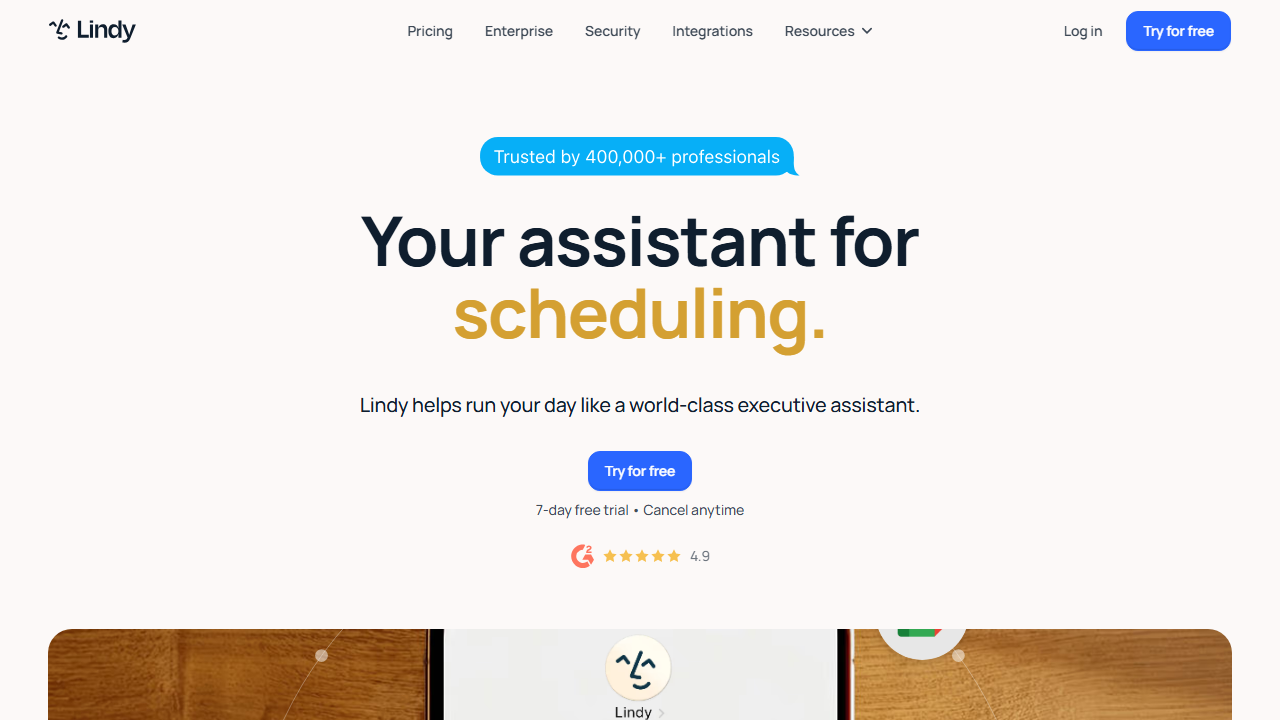
Lindy is an AI agent platform that acts more like a digital coworker than a traditional automation tool. It can read your emails, manage your calendar, conduct research, and perform multi-step tasks with minimal instruction. With a free tier for exploration and paid plans starting at $49 per month, Lindy targets busy professionals and freelancers who need help with administrative overload.
Our Overall Rating: 4.1 out of 5
I rated Lindy 4.1 out of 5 because it delivers a genuinely impressive AI agent experience that goes beyond simple chatbots or rule-based automations. The platform understands context, takes initiative, and handles ambiguous requests better than most competitors. However, occasional errors in task execution, limited customization for niche workflows, and premium pricing for the full feature set prevent a higher rating.
What Is Lindy?
Lindy is an AI-powered agent platform designed to perform tasks autonomously on behalf of users. Unlike chatbots that wait for questions or automation tools that follow rigid trigger-action sequences, Lindy operates with a degree of independence. You describe what you want accomplished, and Lindy figures out the steps, executes them, and reports back with results.
The platform was built by a team with backgrounds in artificial intelligence research and productivity software. Their goal was to create an AI that functions less like a tool and more like a competent assistant who learns your preferences over time. Lindy connects to your email, calendar, documents, and various web services to act on your behalf within defined boundaries.
For freelancers, Lindy promises to handle the administrative work that eats into billable hours. Scheduling meetings, drafting routine emails, researching prospects, compiling meeting notes, and updating project trackers are all within Lindy’s advertised capabilities. The value proposition is clear: reclaim hours spent on coordination and paperwork to focus on high-value client work.
What distinguishes Lindy from simpler AI tools is its ability to chain multiple actions together and handle exceptions. When scheduling a meeting, Lindy does not just check your calendar; it considers time zones, your preferred meeting times, the other person’s availability, and your stated priorities. If conflicts arise, it can suggest alternatives or ask you for guidance rather than failing silently.
How to Get Started with Lindy
Setting up Lindy requires more initial configuration than simpler tools because the platform needs access to your digital life to be useful. I walked through the full setup to identify what takes time and what works immediately. The process took about thirty minutes for basic functionality and a few hours to refine preferences.
Step 1: Sign Up
Go to lindy.ai and create an account using your email or Google sign-in. Lindy offers a free tier with limited task executions, which is sufficient to test core features. No credit card is required to start, and you can upgrade when you are ready to put Lindy to work on real projects.
The onboarding asks about your profession, typical tasks, and tools you use daily. I selected freelancer, specified email management and scheduling as priority tasks, and indicated that I use Gmail, Google Calendar, and Notion. Lindy uses this information to suggest initial configurations and relevant integrations.
Step 2: Connect Your Accounts
Lindy requires access to the services you want it to manage. During setup, you connect your email, calendar, and any other relevant accounts through OAuth. I connected Gmail, Google Calendar, Slack, and Notion. The permission requests are standard for this type of tool, though granting email access understandably feels significant from a privacy perspective.
I recommend reviewing the exact permissions Lindy requests for each service. For Gmail, it needs read access to process emails and send access to draft replies. For calendars, it needs read and write access to check availability and create events. You can revoke access at any time through your Google account security settings if you change your mind.
Step 3: Define Your Preferences
This is where Lindy becomes personalized. You configure your working hours, preferred meeting times, buffer periods between meetings, and communication style. I specified that I prefer meetings between 10 AM and 4 PM, need fifteen minutes between calls, and want Lindy to use a friendly but professional tone in drafted emails.
Lindy also asks about your priorities and boundaries. You can define which types of meetings to accept automatically, which require your approval, and which to decline. I configured Lindy to auto-accept meetings from existing clients, ask me about meetings from new prospects, and decline cold outreach unless the sender mentions a specific budget range.
Step 4: Create Your First Agent Task
Lindy operates through natural language instructions rather than visual builders or code. You type what you want in plain English, and Lindy interprets your request. I started with: “Find all emails from Client ABC received this week, summarize their requests, and add action items to my Notion project board.”
Lindy processed the request, accessed my Gmail, identified relevant emails, generated summaries, and created Notion entries with checkboxes. The entire process took about two minutes. I reviewed the summaries for accuracy, made minor edits, and marked the task complete. Lindy learned from my corrections and performed better on similar tasks afterward.
Step 5: Monitor and Refine
Lindy provides a task history where you can review everything it has done on your behalf. I checked this daily during my testing period to catch errors and provide feedback. The feedback mechanism is simple; you thumbs-up or thumbs-down results and add comments explaining what should have been different.
Over two weeks, Lindy’s accuracy on my typical tasks improved noticeably. It learned that I prefer bullet-point summaries over paragraphs, that I categorize certain clients as high priority, and that I never schedule calls on Friday afternoons. This learning curve is a core part of the Lindy experience.
Lindy Key Features for Freelancers
Lindy’s feature set is built around the concept of an AI agent rather than traditional automation. For freelancers, this means capabilities that feel more like delegating to an assistant than programming a machine. I tested each major feature category to determine where Lindy genuinely helps and where it falls short.
Email Management and Drafting
Lindy’s email capabilities are among its most impressive features. The AI can read incoming messages, categorize them by urgency and topic, draft responses, and organize your inbox. I used Lindy to process my freelance inquiry email address, which receives a mix of client requests, spam, and collaboration proposals.
For each email, Lindy generated a one-line summary and suggested an action: reply, archive, flag for review, or forward. I enabled auto-draft for routine emails like meeting confirmations and project updates. The drafts required editing about 30 percent of the time initially, but after training, the acceptance rate improved to around 80 percent.
The email drafting understands context from previous correspondence. When replying to a long thread, Lindy referenced earlier points accurately and maintained the conversational tone established in previous messages. This context awareness prevents the generic feel that plagues simpler email automation tools.
Intelligent Calendar Scheduling
Scheduling is Lindy’s flagship feature and the one that saved me the most time. When someone emails requesting a meeting, Lindy can read the message, check both calendars, propose times, send invitations, and add video conferencing links. All of this happens without me touching the email.
I tested this by having a colleague request a meeting through my contact form. Lindy identified the request, checked my calendar for available slots within my preferred windows, and sent a reply with three proposed times. My colleague selected one, and Lindy created the calendar event and sent confirmations to both parties.
The scheduling respects complex preferences. I configured blackout periods, minimum notice requirements, and maximum meetings per day. Lindy also handles timezone conversion automatically, which eliminated the back-and-forth I used to have with international clients. When no suitable times exist, Lindy suggests alternatives or escalates to me rather than making impossible offers.
Research and Data Collection
Lindy can conduct web research and compile findings into structured reports. I used this feature to prepare for sales calls by asking Lindy to research prospect companies. The agent visited websites, read about pages, checked recent news, and summarized key information about company size, offerings, and potential pain points.
The research quality varies by topic. For well-documented public companies, Lindy produced useful briefings. For niche industries or very new companies, the results were thinner and sometimes outdated. I learned to verify critical facts before relying on them in client conversations, though Lindy saved me significant time on initial background gathering.
I also tested Lindy’s ability to compile competitive research. I asked for a comparison of five project management tools across pricing, features, and user reviews. Lindy returned a formatted table with sourced information that I used as a starting point for a client recommendation. The research took about ten minutes, compared to the hour I would have spent manually.
Meeting Notes and Summaries
If you connect Lindy to your video conferencing tool or provide transcripts, it can generate meeting summaries, extract action items, and identify decisions. I tested this with Zoom recordings and manual transcript uploads. The summaries captured main discussion points accurately and highlighted commitments made by each participant.
The action item extraction was particularly useful. Lindy identified tasks, assigned them to the person who agreed to do them based on the transcript, and added deadlines when mentioned. I exported these directly to my task manager and shared them with clients after calls. This feature alone justified significant time savings.
However, Lindy occasionally missed nuanced decisions or misattributed statements in multi-person conversations. I always reviewed summaries before sharing them externally. For internal notes, the accuracy was sufficient without heavy editing.
Document Processing and Analysis
Lindy can read documents you upload and answer questions about their contents, extract key clauses, compare versions, and summarize lengthy materials. I used this to review client contracts by uploading PDFs and asking Lindy to highlight termination clauses, payment terms, and intellectual property provisions.
The analysis was helpful for initial contract screening but not a substitute for legal review. Lindy identified relevant sections correctly in standard contracts but struggled with heavily customized agreements or legal language that deviated from common templates. I recommend using this feature for preliminary review only and consulting a lawyer for binding interpretations.
For non-legal documents, the analysis performed better. Lindy summarized lengthy white papers, extracted statistics from reports, and compared proposal documents against requirements lists. These capabilities support freelance consultants and analysts who work with large volumes of documentation.
Custom Agent Workflows
Beyond pre-built capabilities, Lindy allows you to define custom agent workflows for repetitive multi-step tasks. I created a workflow that runs every Monday morning, reviews my calendar for the week, researches each meeting attendee, prepares briefing notes in a shared document, and sends me a consolidated digest.
Custom workflows use natural language instructions rather than visual builders or code. You describe the trigger, steps, and desired output, and Lindy interprets your intent. This abstraction is powerful when it works and frustrating when Lindy misunderstands. I iterated on my workflows three to four times before achieving consistent results.
Pricing: Is It Worth It?
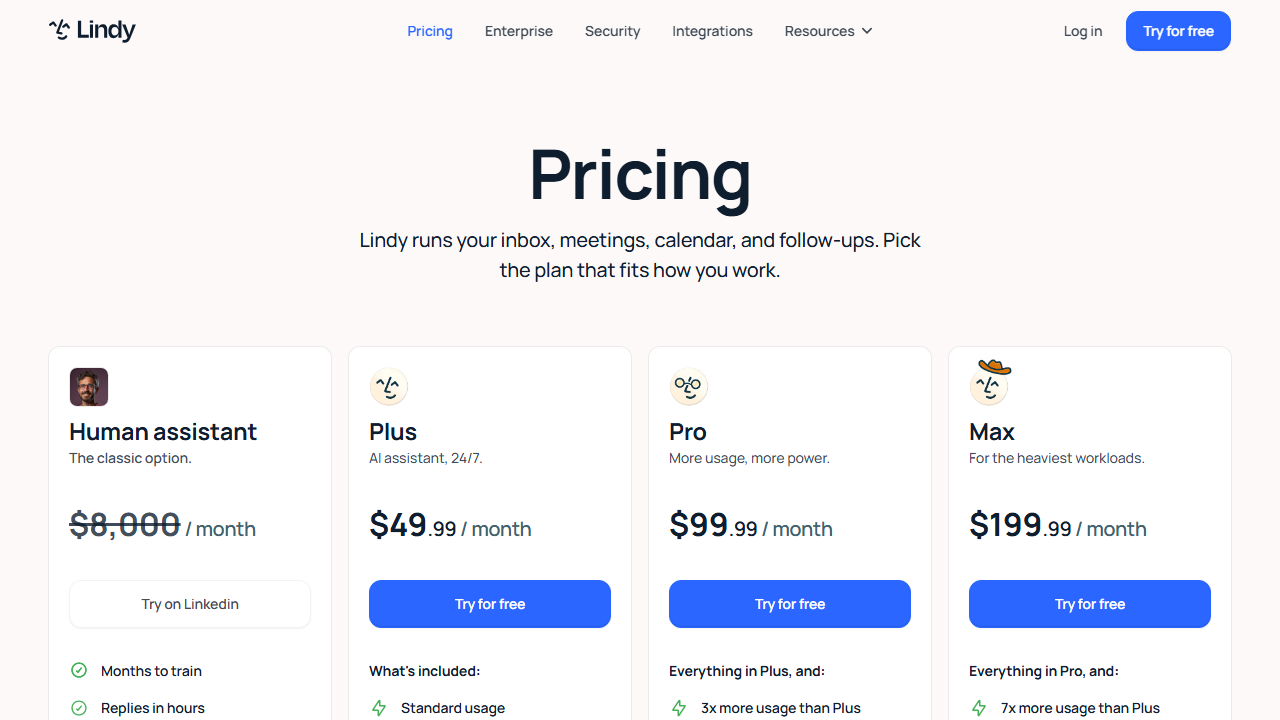
Lindy’s pricing in 2026 reflects its positioning as a premium AI assistant rather than a basic automation tool. The free tier is genuinely useful for testing, but serious freelance use requires a paid plan. I evaluated each tier based on task limits, features, and the time savings generated.
- Free: $0/month – Limited task executions per month, basic email and calendar integration, community support. Suitable for testing and very light personal use.
- Pro: $49/month – Increased task limits, full email management, intelligent scheduling, research capabilities, and email support. This is the minimum tier for most working freelancers.
- Business: $199/month – Unlimited tasks for typical use, advanced customization, team collaboration, priority support, and SLA guarantees. Designed for agencies and high-volume users.
- Enterprise: Custom pricing – Dedicated infrastructure, advanced security, custom integrations, and white-glove onboarding. Only relevant for large organizations.
The Pro plan at $49 per month is where Lindy becomes practical for freelancers. The free tier’s task limit runs out after a few days of normal email volume. At $49, you get enough capacity for a busy solo freelancer handling moderate email and scheduling loads. If Lindy saves you even two hours per month, it pays for itself at typical freelance rates.
The Business plan at $199 per month is steep for individual freelancers unless you have exceptionally high task volumes or manage a small team. I tested the Pro plan for three weeks and found it adequate for my needs. The upgrade to Business would only make sense if I were scaling to multiple assistants or white-labeling Lindy’s capabilities for clients.
Consider Lindy’s pricing relative to hiring a human virtual assistant. A part-time VA costs several hundred dollars per month minimum. Lindy at $49 per month handles a subset of VA tasks with 24/7 availability and no sick days. It cannot replace a human entirely, but it covers routine work at a fraction of the cost.
Pros and Cons
My extended testing period with Lindy revealed genuine productivity gains alongside notable limitations. Here is my honest assessment for fellow freelancers.
Pros
- The natural language interface requires no coding or visual workflow design.
- Email drafting and inbox management save significant daily administrative time.
- Intelligent scheduling eliminates back-and-forth coordination entirely.
- Context awareness across emails and calendars enables surprisingly smart decisions.
- Research capabilities accelerate sales preparation and background gathering.
- Meeting summaries and action item extraction reduce post-call administrative work.
- The platform learns from feedback and improves accuracy over time.
- At $49 per month, it is significantly cheaper than a human virtual assistant for routine tasks.
- 24/7 availability means tasks process overnight and during weekends.
- The onboarding process is well-designed and educational.
Cons
- Task execution errors require monitoring and correction, adding oversight time.
- The free tier is too limited for meaningful freelance work.
- Research quality varies and sometimes returns outdated or incorrect information.
- Granting email and calendar access raises legitimate privacy concerns.
- Custom workflows can be unpredictable and require multiple iterations.
- Document analysis is helpful but not a substitute for professional review.
- The $199 Business plan is expensive for solo freelancers who need higher limits.
- Some tasks take longer to complete than doing them manually would.
Who Should Use Lindy?
Lindy is ideal for freelancers who spend substantial time on email, scheduling, and administrative coordination. Consultants, coaches, agency owners, sales freelancers, and anyone with a high meeting volume will benefit most. If you regularly find yourself drowning in inbox management or playing calendar tetris, Lindy offers genuine relief.
Freelance writers and creatives who receive frequent client communications can use Lindy to filter inquiries, draft responses, and organize project-related emails. Business development consultants can leverage the research features to prepare for pitches. Project managers can use meeting summaries and action item tracking to keep deliverables organized.
However, freelancers with simple needs or low email volumes may find Lindy unnecessary. If you get five emails per day and schedule two meetings per week, the setup and monitoring overhead outweighs the benefits. Similarly, if you are highly protective of inbox privacy and unwilling to grant AI access to your communications, Lindy is not for you.
Technical freelancers who prefer building custom automations may also prefer tools like Pipedream review platforms or Stack AI review alternatives that offer more granular control. Lindy trades customization convenience for power, which suits business-oriented freelancers more than technical purists.
Final Verdict
This Lindy review confirms that the platform is one of the most capable AI assistants available to freelancers in 2026. The combination of email management, intelligent scheduling, and research automation addresses real pain points that consume billable hours. I saved an estimated six to eight hours per week during my testing period by delegating routine coordination to Lindy.
The caveats are significant enough that I cannot give an unqualified recommendation. You must monitor Lindy’s work, verify research findings, and accept that mistakes will happen. The privacy implications of granting AI access to your inbox deserve serious consideration. And the pricing, while reasonable compared to human assistance, is not trivial for freelancers on tight budgets.
I recommend starting with the free tier to evaluate whether Lindy’s interface and capabilities match your working style. If you find yourself wishing it could do more, upgrade to the Pro plan and commit to at least two weeks of daily use and feedback. The learning curve is real, but the productivity gains are equally genuine. For busy freelancers who value time over micromanagement, this Lindy review gives a solid recommendation with the noted reservations.
Frequently Asked Questions
Is Lindy secure for handling my emails?
Lindy uses industry-standard encryption for data in transit and at rest. Access to your accounts uses OAuth tokens rather than stored passwords. However, any tool that reads your email involves inherent privacy trade-offs. I recommend reviewing Lindy’s privacy policy and starting with a secondary email account if you have concerns.
Can Lindy replace a human virtual assistant?
Lindy can replace a human VA for routine tasks like scheduling, email drafting, and basic research. It cannot handle complex judgment calls, emotional intelligence situations, or physical tasks. Most freelancers will find Lindy complements rather than fully replaces human assistance, though it may reduce VA hours needed.
Does Lindy work with my existing tools?
Lindy integrates with Gmail, Google Calendar, Outlook, Slack, Zoom, Notion, and several other popular tools. The integration list is growing but not exhaustive. If you use niche or legacy tools, you may need to work around missing connectors by exporting data manually or using intermediary services.
How long does it take to train Lindy?
Basic functionality works immediately after setup. Meaningful accuracy improvements require one to two weeks of regular use and feedback. I noticed significant improvement after about fifty task completions with feedback. Complex custom workflows may require a month of iteration before running consistently.
What happens if Lindy makes a mistake?
Lindy provides a task history where you review all actions. For critical tasks like sending emails or scheduling meetings, you can require approval before execution. I recommend keeping approval enabled for external communications until you trust Lindy’s accuracy. Mistakes are usually minor, but catching them before they reach clients is essential.
Can I use Lindy for client work?
Yes, many freelancers use Lindy to manage their own operations, which indirectly benefits client work through faster response times and better organization. However, sharing Lindy access directly with clients or using it on their accounts may violate terms of service depending on your plan. Check Lindy’s terms before white-labeling the service.
Does Lindy support multiple languages?
Lindy can process and respond in multiple languages, though English performs best. I tested Spanish and German emails with acceptable results. Calendar scheduling and research work across languages, but nuanced understanding is strongest in English. Multilingual support is improving with updates.
Is there a mobile app for Lindy?
As of 2026, Lindy offers a mobile-responsive web interface but no native mobile app. You can review task status, provide feedback, and read summaries from your phone browser. Full workflow creation and complex configuration are best done on desktop. A native app would improve the mobile experience significantly.
Can I cancel Lindy easily?
Yes, cancellation is handled through your account settings with no long-term contracts. Your data remains accessible in read-only form for a grace period after cancellation. I recommend exporting any important summaries or configurations before canceling, though Lindy does not lock you into the service.
How does Lindy compare to other AI agents?
Lindy focuses on productivity tasks like email and scheduling, while competitors like Botpress review platforms specialize in chatbot deployment for customer-facing interactions. Lindy is more personal-assistant oriented, whereas Botpress targets business automation. Choose Lindy for personal productivity and Botpress for client-facing conversational AI.