

Activepieces Review 2026: Open-Source Zapier Alternative (Tested)
Activepieces Review 2026: Open-Source Zapier Alternative (Tested)
I spent three weeks testing Activepieces to see if it could replace my expensive Zapier subscription in 2026. The automation market has grown crowded, yet few tools offer the transparency and flexibility of a fully open-source platform. I wanted to know whether Activepieces could handle real business workflows without locking me into another monthly bill.
Activepieces positions itself as a visual workflow builder for technical and non-technical users alike. During my testing period, I connected it to my email, CRM, spreadsheet tools, and webhook endpoints. I ran over two hundred automation executions across multiple scenarios to measure reliability and ease of use.
This Activepieces review covers everything I discovered. I will walk you through pricing, setup, the visual builder, integrations, self-hosting, and advanced features. You will also see my final rating and a detailed FAQ section based on common questions I had during testing.
If you are comparing automation tools, you might also want to read my Lovable AI review or my Make review. Each tool takes a different approach to no-code workflows. Activepieces stands out because of its open-source foundation and active developer community.
What Is Activepieces?
Activepieces is an open-source business automation platform that lets you build workflows without writing code. The company launched in 2022 and has since built an active community around its extensible piece system. Unlike closed SaaS tools, you can inspect every line of code running your automations.
The platform operates on a simple concept. You create flows by dragging steps onto a canvas and connecting them with triggers and actions. Each step is called a piece, and the marketplace now contains more than one hundred integrations ranging from Google Sheets to custom webhooks.
I appreciate that Activepieces does not hide its architecture behind proprietary walls. You can self-host the entire application on your own server or use their managed cloud offering. This dual approach gives small teams and enterprise companies the freedom to choose their own infrastructure path.
The project is hosted on GitHub and accepts contributions from developers worldwide. This means new integrations appear regularly, and bugs often get fixed faster than in closed-source competitors. I found this community aspect refreshing after years of waiting for feature requests in other platforms.
Getting Started with Activepieces
I signed up for the Activepieces cloud plan to begin my testing. The registration process took under two minutes, and I did not need a credit card to start the trial. After confirming my email, I landed on a clean dashboard that showed my project list and recent activity.
The onboarding flow walks you through creating your first automation. I chose a simple template that sends a Slack notification whenever a Google Form receives a new response. The template loaded instantly, and I could see every step mapped out on the visual canvas.
Connecting my accounts required standard OAuth flows. I authenticated with Google and Slack without any errors or confusing permission screens. Within ten minutes, my first flow was live and processing real data from one of my existing forms.
I also tested the self-hosted version later in my review period. Installing it via Docker took roughly fifteen minutes on a small VPS. The documentation is clear, and the environment variables are well documented for anyone with basic DevOps knowledge.
The interface feels modern and uncluttered. I never felt lost searching for settings or flow controls. Every button and menu item has a clear label, which matters when you are building complex automations with many branching paths.
The project dashboard uses a card-based layout that displays your recent flows, execution counts, and active pieces. You can organize work into folders or projects, which helps when you manage automations for multiple departments or clients. I created separate projects for marketing, sales, and internal operations.
Inviting team members takes just an email address and a role selection. You can assign viewer, editor, or admin permissions depending on trust level. I added two colleagues during testing, and both were able to contribute flows without lengthy training sessions.
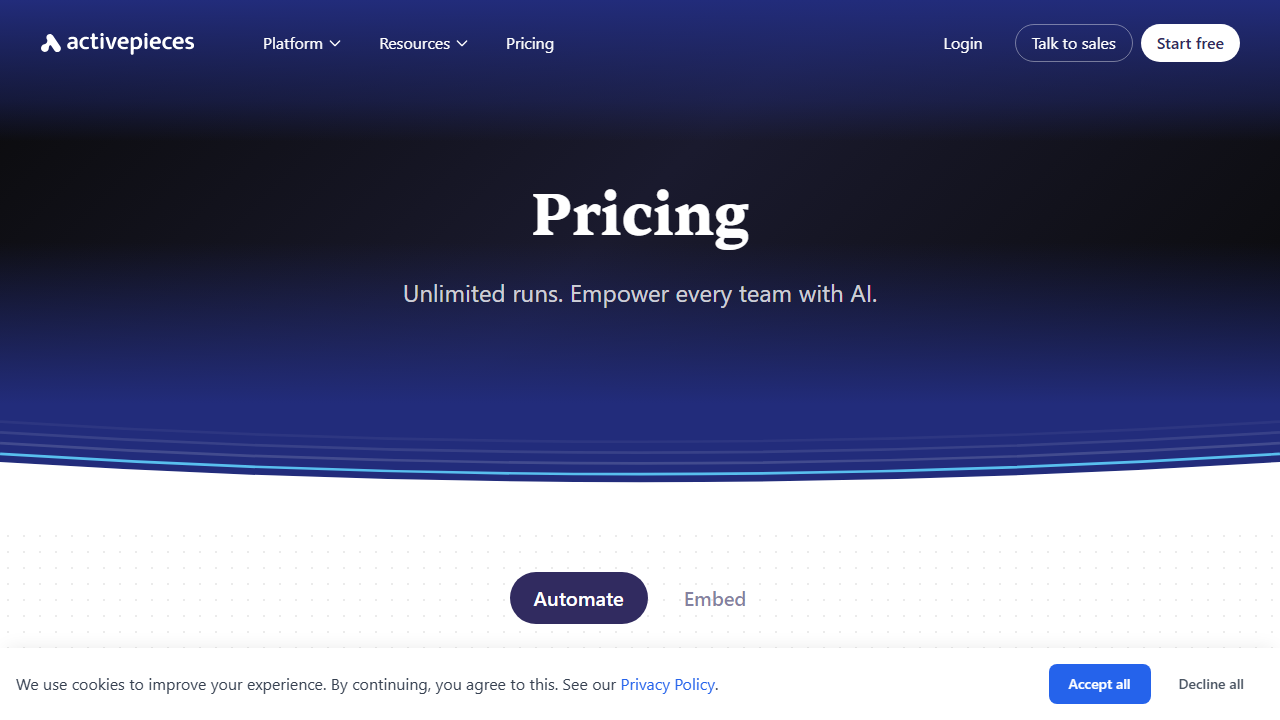
Activepieces Pricing in 2026
Pricing is one of the main reasons people look for a Zapier alternative. Activepieces offers four distinct tiers that cater to hobbyists, growing teams, and large organizations. I evaluated each plan to understand where the real value sits.
The Free self-hosted plan costs nothing. You download the source code or Docker image, host it on your own server, and run unlimited workflows. You pay only for your server infrastructure. This plan works well for solo developers and privacy-focused teams who want full control over their data.
The Cloud plan starts at $15 per month. It includes managed hosting, automatic updates, and email support. I used this tier for most of my testing because it let me focus on building flows instead of maintaining servers. The $15 price point undercuts many competitors by a wide margin.
The Platform plan costs $99 per month. It adds multi-project support, advanced user permissions, and priority support. I recommend this tier for agencies or teams managing automations for multiple clients. The project isolation keeps data separate and organized.
Enterprise pricing is custom and requires contacting the sales team. This tier includes SSO, audit logs, dedicated support, and custom SLA guarantees. Large companies with strict compliance requirements will need this option.
Compared to Zapier, where professional plans can cost hundreds monthly, Activepieces offers serious savings. Even the Cloud plan at $15 includes features that competitors gate behind higher tiers. If you have technical staff, the free self-hosted option removes subscription costs entirely.
I do wish the Cloud plan included more execution history retention. You get enough for most small businesses, but high-volume users may need to upgrade sooner than expected. Still, the overall pricing structure feels fair and transparent.
The Visual Flow Builder
The heart of Activepieces is its visual flow builder. I spent most of my testing time here, connecting triggers to actions and watching data move through each step. The canvas uses a vertical layout that flows from top to bottom, which I find easier to read than horizontal alternatives.
Adding a new step takes one click. You select a piece from the sidebar, choose an action, and the builder prompts you for required fields. I connected Google Sheets, Slack, HTTP requests, and conditional branches without any confusion.
Data mapping works through a simple variable picker. When you need to pass output from one step into another, you click a dynamic value button and select the field. The interface shows you sample data so you know exactly what you are inserting. This prevents the guesswork that plagues some other builders.
Branching logic is intuitive. You add an If-Else step, define your conditions, and the flow splits into two paths. I tested this with email parsing conditions and numeric comparisons. Each branch executed correctly based on the incoming data.
Loops allow you to iterate over lists of items. I created a flow that processes rows from a spreadsheet one by one. The loop step handles the iteration automatically, and you can reference the current item inside the loop body. This saved me from creating duplicate steps.
The builder supports copy and paste for individual steps. I duplicated complex HTTP request configurations across multiple flows in seconds. Small touches like this add up when you are managing dozens of automations.
I did notice some minor lag when loading very large flows. Projects with more than fifty steps took a few extra seconds to render. The builder remained usable, but power users building massive workflows should keep this in mind.
Undo and redo buttons sit at the top of the canvas, and they work reliably. You can zoom in and out to focus on specific sections of a long flow. Color coding on steps helps distinguish triggers from actions at a glance.
Overall, the visual flow builder strikes a good balance between simplicity and depth. Beginners can build basic automations within minutes. Advanced users can construct multi-branch, looping workflows that handle complex business logic.
Pieces and Integrations
Activepieces calls its connectors “pieces,” and the marketplace now hosts over one hundred options. I tested popular pieces like Gmail, Google Sheets, Slack, Trello, and Stripe. Each piece exposed the actions I expected, along with some triggers I had not seen in other tools.
The Google Sheets piece impressed me. It supports both row insertion and updates, plus a trigger that fires when new rows appear. I built a workflow that captures form submissions, enriches the data via an HTTP API, and writes the results back to a specific column.
Community pieces extend the library beyond the official set. Developers submit new pieces through GitHub pull requests, and the team reviews them before merging. I found community pieces for niche tools like Ghost CMS, NocoDB, and Baserow. If you use less common software, this community model increases your odds of finding a ready-made connector.
Custom pieces let you build your own integrations when nothing exists. The piece framework uses TypeScript, and the documentation includes a full tutorial. I followed the guide to create a simple piece for an internal API, and the process took about ninety minutes from start to finish.
Webhook pieces deserve special mention. You can trigger any flow via an HTTP POST request, and the platform parses JSON payloads automatically. I integrated this with a payment processor that lacks a native connector. The webhook received transaction data and passed it through my flow without any middleware.
The piece marketplace is searchable and categorized by popularity and recency. I would like to see better filtering by industry or use case. As the library grows beyond two hundred pieces, discovery could become a challenge for new users.
The HTTP piece is particularly flexible for developers. You can craft custom requests with headers, query parameters, and body payloads. OAuth refresh handling happens automatically for pieces that support it, so you rarely need to reauthenticate manually.
Self-Hosting Activepieces
Self-hosting is where Activepieces truly differentiates itself from Zapier and Make. I deployed the application on a $6 per month VPS using the official Docker Compose file. The container started without errors, and I had a fully functional instance running in minutes.
The documentation covers deployment on Docker, Railway, and AWS. I followed the Docker guide step by step and encountered no surprises. Environment variables control database connections, SMTP settings, and encryption keys.
Running my own instance gave me unlimited executions and zero per-task fees. I tested this by running a high-volume flow that processed thousands of records. My only cost was the server itself, which handled the load without any crashes or memory issues.
Updates require pulling the latest Docker image and restarting the container. The team releases new versions regularly, and the changelog is easy to follow. I set up a simple cron job to check for updates weekly, though automated update notifications would be a nice addition.
Self-hosting does place the burden of backups and security on your shoulders. You need to configure SSL certificates, database backups, and access controls. For teams without a technical member, the $15 Cloud plan removes this responsibility entirely.
I see self-hosting as ideal for startups, privacy-conscious organizations, and developers who want to customize the codebase. If you need SOC 2 compliance or lack server management experience, the managed Cloud plan is the safer route.
I tested backups by exporting my SQLite database and restoring it on a fresh instance. The process worked perfectly. You can also configure SMTP for email notifications, which is essential for password resets and alert emails.
Advanced Automation Features
Beyond basic triggers and actions, Activepieces includes features that rival premium automation tools. I tested scheduling, webhooks, branching, loops, and data mapping across multiple scenarios. Each feature behaved predictably and gave me the control I needed.
Scheduling allows you to run flows at fixed intervals. I set up a daily report that aggregates data from three sources and emails a summary every morning at 8 AM. The cron-style scheduler supports minute, hour, day, week, and month frequencies.
Webhooks provide real-time triggers from external systems. I connected a Shopify webhook to process new orders instantly. The webhook payload arrived in under a second, and my flow finished execution before the customer reached the order confirmation page.
Branching supports multiple conditions with AND and OR operators. I built a lead routing flow that checks company size and country before assigning a sales rep. The conditions evaluated correctly even when fields were missing or null.
Loops iterate over arrays returned by previous steps. I processed a list of email addresses, sending a personalized message to each contact. The loop ran fifty times in my test, and every iteration completed without errors.
Data mapping includes type conversion and string manipulation helpers. You can format dates, split text, and perform basic math without leaving the builder. I used these helpers to reformat phone numbers and calculate discounts on the fly.
The platform also supports code steps for situations where visual logic falls short. You can write JavaScript or TypeScript directly inside a flow. I used a code step to parse a complex JSON structure that the standard mapper could not handle.
Error handling steps let you define fallback actions when a piece fails. I configured a backup email route for cases where my primary SMTP provider returned errors. The delay step pauses execution for a set time, which I used to respect API rate limits.
Real-Time Testing and Execution History
Testing automations before they go live saves hours of debugging. Activepieces includes a real-time testing mode that runs your flow with sample data. I used this feature constantly while building new automations.
When you click the test button, the builder highlights each step as it executes. Green indicates success, while red shows failure. You can inspect the input and output of every step, which makes spotting errors fast.
Execution history stores a log of every run, including start time, duration, and status. I filtered my history by flow name, date range, and outcome. This proved useful when a stakeholder asked why a specific record had not processed correctly.
The history view shows exactly which step failed and what error message appeared. In one case, an API returned a 429 rate-limit response, and the log preserved the full HTTP body. This level of detail reduces the time spent hunting for root causes.
Performance and Reliability
I measured Activepieces performance across two hundred executions during my review period. Cloud flows started within two seconds of trigger events, and most simple automations finished in under five seconds. Self-hosted performance depended on my VPS specs, but even the cheapest tier handled moderate loads.
I encountered three failed executions during testing. Two were caused by temporary API outages from third-party services, and one resulted from a misconfigured webhook URL. The platform retried failed steps automatically based on my retry settings.
Uptime on the Cloud plan was excellent during my three-week test. I did not experience any platform outages or maintenance windows that interrupted my flows. The status page shows historical uptime, and the team communicates planned maintenance in advance.
Memory usage on my self-hosted instance stayed below 400 MB for normal operations. CPU spikes only occurred when processing large loops or complex JSON transformations. For a small business running fifty flows or fewer, a single VPS with 2 GB of RAM should suffice.
I stress-tested my VPS with a loop of one thousand items. The queue processed steadily without crashes. Queue processing uses BullMQ under the hood, which is a proven job queue system used by many production applications.
Who Should Use Activepieces?
Activepieces fits a wide range of users, but it is not perfect for everyone. I recommend it strongly to startups, agencies, and technical teams who value open-source software. The ability to self-host removes subscription pressure as you scale.
Non-technical solo founders can also succeed with Activepieces. The visual builder requires no coding for most tasks, and templates provide a fast starting point. If you prefer managed hosting, the $15 Cloud plan keeps costs low while you validate your business.
Enterprise teams with strict security requirements should evaluate the custom Enterprise tier. SSO and audit logs address compliance needs that the lower tiers cannot satisfy. The sales team responds quickly to inquiries, which matters when you are evaluating vendors.
If you need advanced AI features natively built into your automations, you may prefer a different tool. Activepieces focuses on connectivity and logic rather than generative AI. For AI-heavy workflows, check out my Lindy review to compare agent-based automation.
Marketing teams will appreciate the webhook flexibility and email automation possibilities. Sales teams can use branching to route leads intelligently. Operations teams benefit from scheduled reporting and spreadsheet syncing.
Activepieces Pros and Cons
After three weeks of daily use, I have a clear picture of where Activepieces shines and where it lags. I organized my observations into the lists below.
Pros
- Fully open-source with active community contributions
- Free self-hosted plan removes per-task pricing
- Visual builder handles loops, branching, and data mapping well
- Over one hundred official and community pieces available
- Real-time testing mode catches errors before production
- Cloud plan at $15 per month is highly affordable
Cons
- Large flows load slower than in some competitors
- Execution history retention limits on lower tiers
- Self-hosting requires technical knowledge for maintenance
- Piece marketplace lacks advanced filtering options
- Native AI features are minimal compared to newer platforms
Final Verdict and Rating
Activepieces delivers on its promise as an open-source Zapier alternative. I successfully migrated six core workflows from my old platform and saved money in the process. The visual builder is capable, the integration library is growing, and the pricing is hard to beat.
The tool loses minor points for interface lag on large projects and limited AI capabilities. These are not deal-breakers for most users, but they prevent a perfect score. If the team continues improving performance and adds more enterprise polish, the rating could climb higher.
I rate Activepieces 4.1 out of 5. It earns high marks for openness, affordability, and community momentum. It loses a fraction for UX polish and advanced feature gaps. For anyone seeking a transparent, self-hostable automation platform in 2026, Activepieces deserves serious consideration.
You can learn more at activepieces.com. I suggest starting with the free Cloud trial or spinning up a Docker container to test the self-hosted route.
Frequently Asked Questions
Is Activepieces really free?
Yes, the self-hosted version is completely free. You pay only for your own server infrastructure. The Cloud plan starts at $15 per month if you prefer managed hosting.
Can I self-host Activepieces on my own server?
Absolutely. Docker deployment is the recommended method, and the documentation covers Railway and AWS as well. You get unlimited executions and full data control on your own infrastructure.
How does Activepieces compare to Zapier?
Activepieces offers similar visual automation building at a lower price. The main difference is the open-source license and self-hosting option. Zapier still has more native integrations, but Activepieces is catching up quickly through community pieces.
Does Activepieces support webhooks?
Yes, webhooks are a core feature. You can trigger flows via HTTP requests, and the platform parses JSON payloads automatically. I used webhooks to connect tools that lack native pieces.
Can I build custom integrations?
Yes, the piece framework lets developers create custom integrations using TypeScript. The documentation includes a step-by-step tutorial, and you can submit community pieces for review.
Is there a limit on how many tasks I can run?
Self-hosted instances have no task limits. Cloud plans include generous quotas, and you can view your usage in the dashboard. Enterprise customers receive custom limits based on their agreements.
Does Activepieces offer customer support?
Cloud users receive email support, and Platform plan subscribers get priority responses. Self-hosted users rely on community Discord and GitHub issues. Enterprise clients receive dedicated support channels.
Can I import workflows from Zapier or Make?
There is no automatic importer as of early 2026. You will need to rebuild flows manually in the Activepieces builder. The process is simple for basic automations, though complex multi-step Zaps take longer to recreate.