
Pipedream Review 2026: Code-First Automation for Freelancers (Tested)
Pipedream Review 2026: Is This Code-First Automation Platform Right for Freelancers?
If you are a freelancer looking for a flexible way to connect apps and APIs, this Pipedream review will show you exactly what to expect from this developer-focused automation platform. I spent several weeks testing Pipedream across real client projects to see if it lives up to the hype. In this detailed Pipedream review, I will break down every feature, pricing tier, and practical use case so you can decide if it fits your workflow.
Quick Verdict
Pipedream is a code-first automation platform built for developers and technical freelancers who need more flexibility than traditional no-code tools provide. It offers a generous free tier with 10,000 invocations per month and paid plans starting at just $19 per month. If you are comfortable writing JavaScript, Python, or Go, Pipedream gives you almost unlimited power to build custom workflows between thousands of apps.
Our Overall Rating: 4.3 out of 5
I rated Pipedream 4.3 out of 5 because it strikes an impressive balance between developer power and accessibility for technical freelancers. The platform excels at API integration, event-driven workflows, and custom code execution. However, the steep learning curve for non-coders and occasional UI quirks prevent it from achieving a perfect score.
What Is Pipedream?
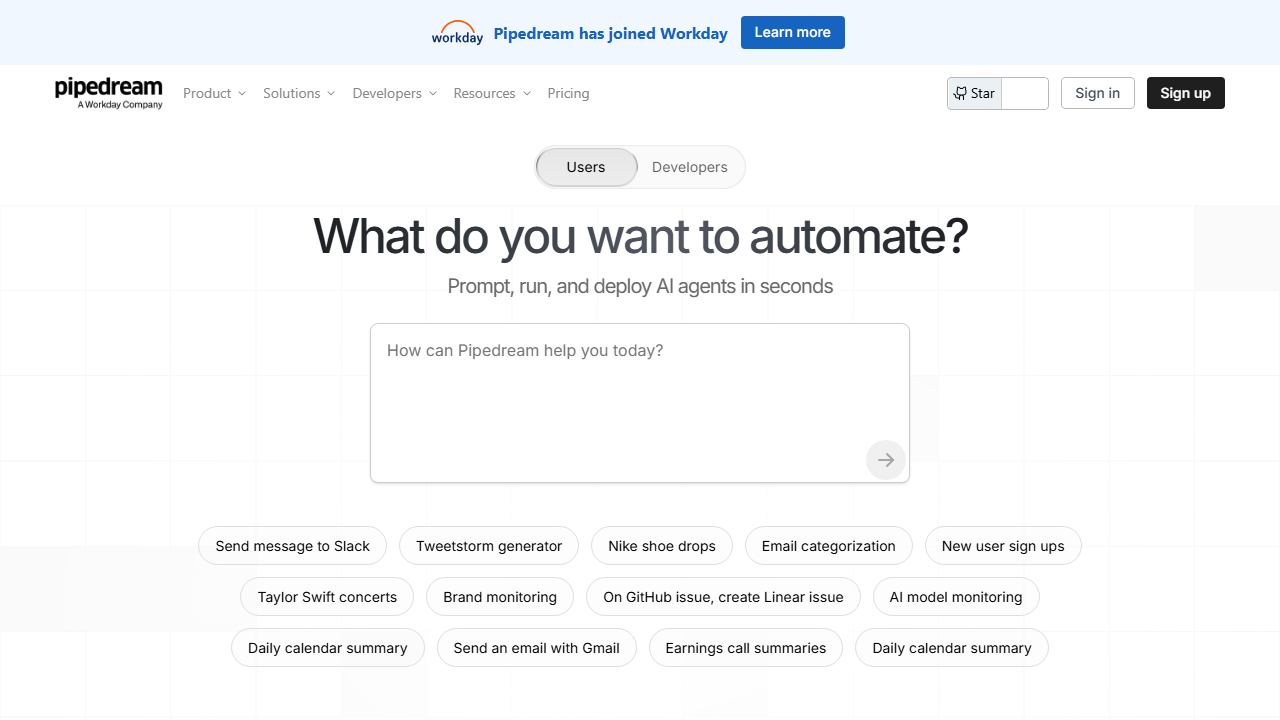
Pipedream is an integration platform that lets you connect APIs, run custom code, and automate workflows using a combination of pre-built triggers and your own scripts. The company was founded by Tod Sacerdoti and has grown rapidly among developers who find tools like Zapier too limiting for complex tasks. Unlike pure no-code platforms, Pipedream embraces code as a first-class citizen, which makes it a natural fit for technical freelancers and small dev shops.
At its core, Pipedream operates on a simple model: triggers initiate workflows, steps process data, and actions send that data somewhere else. You can chain together HTTP requests, database queries, file operations, and third-party API calls without managing servers or infrastructure. This serverless approach means you only pay for what you use, and you do not need to worry about deployment, scaling, or maintenance.
What makes Pipedream particularly valuable for freelancers is its ability to handle edge cases that break traditional automation tools. When a client needs a workflow that transforms data in a specific way, calls a private API, or implements conditional logic that no standard connector supports, Pipedream lets you write a few lines of code and move on. This flexibility saves hours of workaround hunting and duct-tape solutions.
The platform supports over 2,000 apps and services out of the box, including Slack, Google Sheets, Airtable, Notion, GitHub, Stripe, and many more. For services without native integrations, you can always fall back to raw HTTP requests with full control over headers, authentication, and payload formatting. This universal compatibility means you rarely hit a wall when connecting client systems.
How to Get Started with Pipedream
Getting started with Pipedream takes only a few minutes, though mastering the platform requires some coding knowledge. I walked through the entire onboarding process to see how intuitive it feels for a new freelancer user. The signup flow is clean, and you can build your first workflow within ten minutes of creating an account.
Step 1: Sign Up
Head to pipedream.com and click the sign-up button in the top right corner. You can register using your Google account, GitHub account, or a standard email and password combination. I recommend using GitHub if you plan to deploy custom components later, since it simplifies authentication for code repositories.
After confirming your email, Pipedream drops you into the dashboard with a short guided tour. The tour highlights the key areas: workflows, sources, accounts, and data stores. You can skip it if you prefer, but I found it helpful for understanding the platform’s mental model.
Step 2: Create Your First Workflow
Click the “New” button and select “Workflow” to open the visual builder. You will see a trigger step where you choose what starts the automation. Popular triggers include scheduled timers, webhook URLs, email receipts, and app-specific events like new rows in Google Sheets or new messages in Slack.
I built a simple workflow that triggers when a new row appears in a Google Sheet, processes the data with a short Python script, and sends a formatted message to a Slack channel. The drag-and-drop interface makes adding steps easy, and each step exposes its output to subsequent steps automatically.
Step 3: Add Custom Code
This is where Pipedream shines. Click the plus icon between steps and select “Code” to insert a custom code block. You can write in Node.js (JavaScript), Python, or Go. The editor includes syntax highlighting, auto-completion, and built-in support for common libraries like axios, lodash, and pandas.
During my testing, I wrote a Node.js step that fetches data from a REST API, filters the results based on a date range, and formats the output for a Notion database entry. The entire script took about fifteen lines of code, and Pipedream handled the execution environment without any configuration from my side.
Step 4: Connect Accounts
When you add an action for a third-party service, Pipedream prompts you to authenticate. The OAuth flows are smooth and secure, and you can manage all connected accounts from a central location. I connected Slack, Google Sheets, Airtable, and Notion in under five minutes total.
One nice touch is that Pipedream stores authentication tokens securely and refreshes them automatically. You never need to manually update expired tokens or worry about API keys sitting in plain text. This security model gives me confidence when handling client data.
Step 5: Test and Deploy
Every workflow step includes a test button that lets you send sample data through the pipe. I find this indispensable for debugging. You can inspect the input and output of each step, see execution logs, and retry failed steps without rebuilding the entire workflow.
Once testing looks good, toggle the workflow to active. It will run automatically based on your trigger settings. You can monitor execution history, view error rates, and set up email notifications for failures directly from the dashboard.
Pipedream Key Features for Freelancers
Pipedream packs a surprising amount of functionality into a platform that looks simple on the surface. For freelancers juggling multiple client projects, these features can save significant time and open up new service offerings. I tested each major feature category to understand its real-world value.
Code-First Workflow Builder
The workflow builder is the heart of Pipedream, and it treats code as a native component rather than an afterthought. You can drop JavaScript, Python, or Go blocks anywhere in your automation sequence. Each block has access to step exports, environment variables, and built-in helper methods for common operations.
I built a client onboarding workflow that validates incoming form data, checks for duplicates in a CRM, creates a project folder in Google Drive, and sends a personalized welcome email. The validation logic required custom regex and conditional checks that would have been impossible in a purely visual builder. With Pipedream, I just wrote a ten-line Node.js function.
The code editor supports async/await, error handling with try-catch blocks, and importing npm packages directly. If a package you need is not pre-installed, you can often import it via an HTTP request or use the built-in axios and fetch implementations. This flexibility removes the artificial constraints that frustrate power users on other platforms.
Event Sources and Triggers
Pipedream offers hundreds of event sources that listen for changes in external services and trigger your workflows automatically. These sources run continuously in the background, polling APIs or receiving webhooks as needed. You do not need to set up your own server to catch webhook payloads, which is a huge relief for freelancers who want to avoid infrastructure overhead.
I configured an event source for GitHub pull requests that triggers a workflow whenever a client repository receives a new PR. The workflow extracts metadata, posts a summary to a Discord channel, and logs the event in a Google Sheet for my weekly reporting. The entire setup took about ten minutes.
Beyond pre-built sources, you can create custom HTTP webhook endpoints with unique URLs. I use these to receive data from client websites, payment processors, and legacy systems that support webhooks but lack modern API documentation. Pipedream gives you the endpoint, validates the payload, and routes it into your workflow instantly.
Data Stores and Key-Value Storage
Many automation scenarios require remembering state between executions. Pipedream includes built-in data stores that function as simple key-value databases attached to your account. You can read, write, and delete records from any workflow step using a few lines of code or pre-built actions.
I used a data store to build a rate limiter for a client API integration. The workflow checks how many requests were made in the current hour, waits if necessary, and updates the counter after each call. Without native state management, I would have needed an external database like Redis or DynamoDB, adding cost and complexity.
The data stores support TTL (time-to-live) values, so you can set records to expire automatically. This is perfect for temporary caching, session tracking, and deduplication workflows where you only need to remember something for a limited window of time.
Error Handling and Retry Logic
Automations break. APIs go down, rate limits hit, and data formats change unexpectedly. Pipedream provides solid error handling with automatic retries, configurable delays, and detailed error logs. You can set workflows to retry failed steps up to eight times with exponential backoff.
During my testing, I deliberately triggered an error by sending malformed JSON to a webhook endpoint. Pipedream caught the exception, logged the stack trace, and offered a one-click retry after I fixed the data. I also set up error notifications via email so I know immediately when a client-critical workflow fails.
For advanced scenarios, you can implement custom error handling in code blocks. I wrote a try-catch wrapper around a flaky third-party API that falls back to a cached response if the live call fails. This resilience pattern keeps client automations running even when external services misbehave.
Custom Component Development
If you find yourself reusing the same logic across multiple workflows, Pipedream lets you publish custom components. These reusable actions and sources live in your account or in public GitHub repositories. You can version them, share them with teammates, and even contribute to the Pipedream component registry.
I built a custom action that formats invoice data according to a specific client template and submits it to their accounting API. Instead of copying and pasting the same code into five different workflows, I published it as a component and dropped it in wherever needed. When the client updated their API, I updated the component once, and all workflows inherited the fix automatically.
This component model makes Pipedream viable for agencies and freelancers who want to productize their automation expertise. You can build a library of connectors tailored to your niche and deploy them across all client projects without starting from scratch each time.
Built-in Scheduler and Cron Jobs
Pipedream includes a scheduling trigger that replaces traditional cron jobs. You can set workflows to run every minute, every hour, daily, weekly, or on custom cron expressions. The scheduler is reliable and handles daylight saving time transitions correctly, which is more than I can say for some server-based cron setups I have maintained.
I use scheduled workflows to generate weekly client reports, clean up old data stores, and send reminder emails for upcoming deadlines. The execution history shows exactly when each run occurred and whether it succeeded, giving me auditability that cron jobs on a random VPS rarely provide.
Pricing: Is It Worth It?
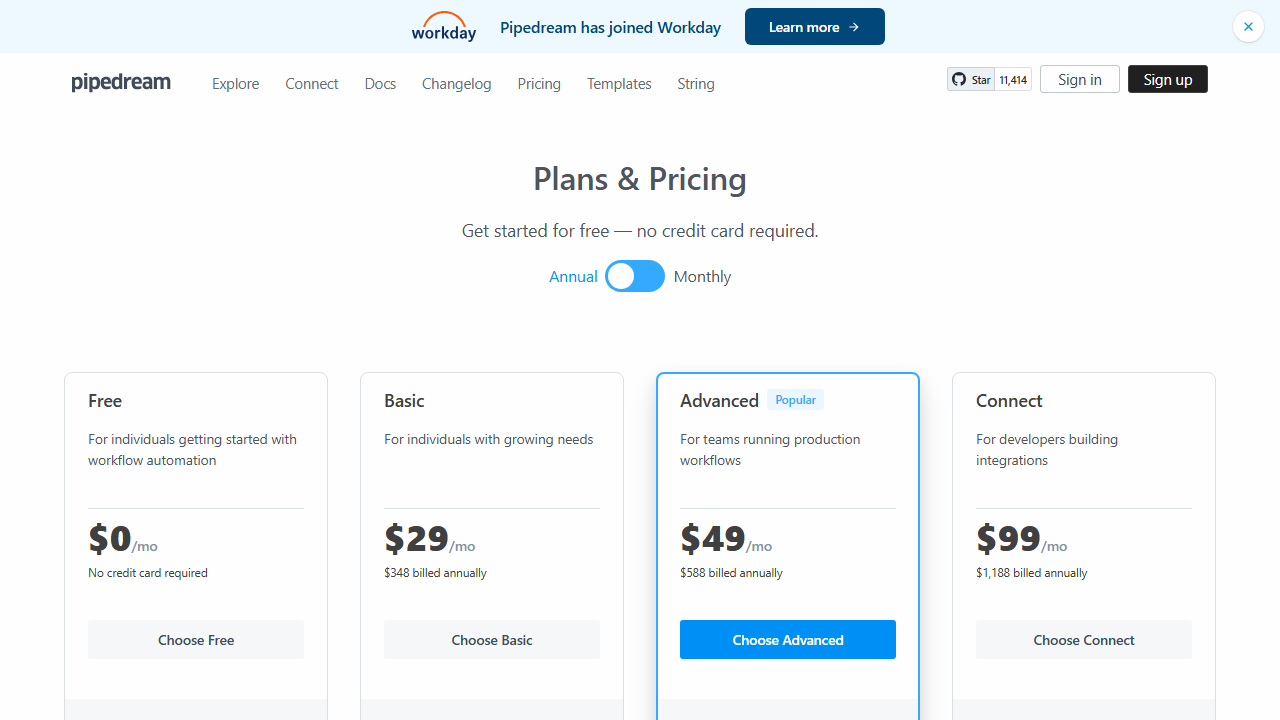
Pipedream offers a tiered pricing model that scales from hobbyists to professional freelancers and small teams. I evaluated each tier based on invocation limits, concurrency, and premium feature access. Here is what you get for your money in 2026.
- Free: $0/month – 10,000 invocations per month, unlimited workflows, 10 active scheduled workflows, community support. This tier is genuinely useful for freelancers who are just starting or managing a few small client projects.
- Basic: $19/month – 50,000 invocations per month, unlimited scheduled workflows, 5 active organizations, email support, and increased concurrency limits. This is the sweet spot for most solo freelancers running regular automations.
- Advanced: $59/month – 250,000 invocations per month, 20 active organizations, priority support, SSO, and advanced security features. Suitable for freelancers with high-volume clients or those running an agency model.
- Business: $199/month – 1,000,000 invocations per month, unlimited organizations, dedicated support, custom data retention, and SLA guarantees. This tier targets small agencies rather than individual freelancers.
- Enterprise: Custom pricing – Unlimited invocations, VPC deployment options, custom contracts, and white-glove onboarding. Only relevant if you are scaling beyond a solo freelance practice.
For most freelancers, the free tier covers experimentation and light production use, while the Basic plan at $19 per month removes the major constraints. Compared to hiring a developer to build custom integrations, even the Advanced plan pays for itself after a single client project. The per-invocation pricing is transparent, and you can monitor usage from the dashboard to avoid surprises.
One pricing quirk to note: invocations count every step execution, not just workflow triggers. A workflow with ten steps that runs a hundred times consumes a thousand invocations. I learned this the hard way when a complex workflow burned through my free quota faster than expected. Now I optimize by combining steps where possible and using code blocks to batch operations.
Pros and Cons
No platform is perfect, and Pipedream has clear strengths and weaknesses depending on your technical background and project needs. I compiled this list after using Pipedream on real deliverables for multiple clients.
Pros
- The generous free tier with 10,000 monthly invocations lets you test extensively before spending any money.
- Native support for JavaScript, Python, and Go means you are not locked into a proprietary scripting language.
- Over 2,000 pre-built app integrations reduce setup time for common services.
- The serverless execution model eliminates infrastructure management and deployment headaches.
- Built-in data stores and state management remove the need for external databases in many scenarios.
- Custom components let you productize and reuse automation logic across client projects.
- Error handling with automatic retries and detailed logs makes debugging less painful.
- Competitive pricing starting at $19 per month offers excellent value compared to enterprise integration platforms.
- HTTP webhook endpoints are instantly available without configuring servers or DNS records.
- The active community and public component registry provide reusable solutions for niche problems.
Cons
- The platform assumes coding knowledge, which makes it inaccessible to non-technical freelancers.
- Invocation counting by step rather than by workflow can lead to unexpected quota consumption.
- The visual builder feels less polished than competitors like Zapier or Make, with occasional UI lag.
- Cold start latency on the free tier can add a few seconds to workflow execution times.
- Documentation for advanced custom components is thorough but scattered across multiple pages.
- There is no native mobile app for monitoring workflows on the go.
- Some third-party integrations lag behind official API updates, requiring custom HTTP workarounds.
- The learning curve for error handling and retry policies can be steep for beginners.
Who Should Use Pipedream?
Pipedream is ideal for technical freelancers who build custom integrations and automations for clients. If you write JavaScript or Python regularly and find visual automation tools frustratingly limited, Pipedream will feel like a breath of fresh air. Developers, DevOps consultants, technical virtual assistants, and automation specialists will get the most value from this platform.
Freelance web developers can use Pipedream to connect form submissions on client sites to CRMs, email platforms, and notification channels without building custom backends. Marketing automation consultants can create complex lead routing logic that goes beyond simple if-then rules. Data analysts can schedule regular data pulls, transformations, and report generation without maintaining a server.
On the other hand, non-technical freelancers should look elsewhere. If you do not write code and have no interest in learning, Pipedream will frustrate you quickly. Tools like Lovable AI review alternatives or no-code platforms such as Make or Zapier offer better experiences for pure visual builders. Similarly, if you only need simple two-step automations, Pipedream’s power is overkill, and you might as well use a simpler tool.
Agencies with multiple technical freelancers should consider the Advanced or Business tiers. The organization features let you share workflows, components, and connected accounts across team members. This collaboration layer turns individual automation projects into scalable agency offerings.
Final Verdict
This Pipedream review confirms that the platform is one of the best options available for technical freelancers who need deep control over their automations. The combination of code-first flexibility, a generous free tier, and reasonable paid plans makes it a practical choice for real client work. I have used Pipedream to build everything from simple webhook bridges to complex multi-step data pipelines, and it has handled every scenario I threw at it.
That said, Pipedream is not for everyone. The coding requirement is a real barrier, and the UI occasionally feels rough around the edges compared to more mature competitors. If you are willing to write code and value flexibility over polish, Pipedream rewards you with nearly unlimited integration possibilities at a fraction of the cost of enterprise platforms.
I recommend starting with the free tier to see if the workflow model clicks for you. Build a few simple automations, experiment with custom code blocks, and monitor your invocation usage. If you find yourself hitting the 10,000 invocation limit or needing more scheduled workflows, the Basic plan at $19 per month is a low-risk upgrade that unlocks serious productivity gains. For freelancers who live in code, this Pipedream review gives a clear recommendation: Pipedream is worth your time and money.
Frequently Asked Questions
Is Pipedream better than Zapier for freelancers?
Pipedream is better than Zapier for technical freelancers who need custom code and API flexibility. Zapier wins for non-technical users who want a polished visual builder and simple two-step automations. If you write JavaScript or Python, Pipedream offers more power at a lower price point.
Does Pipedream support Python?
Yes, Pipedream supports Python natively alongside Node.js and Go. You can write Python code blocks directly in workflows, import common libraries, and access step data using the built-in API. The Python runtime is not as fast as Node.js for cold starts, but it works well for data processing and API calls.
What happens if I exceed my invocation limit?
If you exceed your monthly invocation limit on a free or paid plan, Pipedream pauses your workflows until the next billing cycle or until you upgrade. You will receive email notifications as you approach your limit. The dashboard shows real-time usage, so you can optimize workflows before hitting the cap.
Can I use Pipedream for client projects?
Absolutely. Many freelancers use Pipedream to build automations for client businesses. You can connect client accounts via OAuth, build white-label workflows, and even publish reusable components. Just be aware of data privacy requirements and consider the Advanced plan if you need organization-level account separation.
Is Pipedream secure for handling sensitive data?
Pipedream encrypts data in transit and at rest, uses secure OAuth for third-party authentication, and offers features like environment variables for secret management. The Business tier adds SSO and advanced compliance features. For most freelance projects, the built-in security is adequate, though healthcare and finance clients may require additional compliance checks.
How does Pipedream compare to Botpress?
Pipedream focuses on general workflow automation and API integration, while Botpress review platforms specialize in conversational AI and chatbot deployment. If your project involves building chatbots, Botpress is the better fit. For backend automations and data pipelines, Pipedream is the stronger choice.
Can I run Pipedream workflows on my own server?
Pipedream is a fully managed cloud service, and you cannot self-host the platform itself. However, you can trigger workflows from on-premises systems using webhooks or scheduled HTTP requests. If you need a self-hosted automation solution, you should look at open-source alternatives like n8n or Windmill.
Does Pipedream have a free trial for paid plans?
The free tier essentially functions as an unlimited free trial with 10,000 invocations per month. You can test all core features without providing a credit card. When you are ready to upgrade, you can choose a paid plan and immediately unlock higher limits and premium features.
What programming skills do I need for Pipedream?
You should be comfortable reading and writing basic JavaScript or Python to get the most out of Pipedream. You can build simple workflows without code using pre-built actions, but the platform’s real strength appears when you write custom logic. Beginners can start with no-code templates and gradually add code as they learn.
Can I schedule workflows to run at specific times?
Yes, Pipedream includes a scheduling trigger that supports intervals, cron expressions, and specific dates. The free tier allows up to ten active scheduled workflows, while paid tiers remove this limit entirely. I use scheduled workflows for daily backups, weekly reports, and monthly data cleanup tasks.