
Sunsama Review 2026: Daily Planning for Freelancers (Tested)
Sunsama Review 2026: Daily Planning and Task Automation for Freelancers
Welcome to this detailed Sunsama review, where I break down how this daily planning tool helps freelancers organize chaotic task lists into calm, actionable days. I used Sunsama.com for twenty-one days across multiple client projects, personal errands, and long-term business goals to see if it truly delivers on its promise of mindful productivity. What I found is a tool that feels less like software and more like a digital planner who understands the freelance lifestyle.
Freelancers face a unique challenge: no manager tells you what to work on next. You must choose between client deadlines, invoicing, marketing, and self-care every single morning. Sunsama addresses this by combining task management, calendar blocking, and daily shutdown rituals into one smooth workflow. In this Sunsama review, I will share exactly how each feature performed during real freelance work weeks.
Quick Verdict
Sunsama is a daily planning application that pulls tasks from your project tools, emails, and calendar into a single daily view. It is best for freelancers who want to start each day with a clear plan and end with a sense of completion rather than guilt.
The tool emphasizes intentionality. Instead of showing an endless task list, Sunsama forces you to choose what actually fits into today. That constraint sounds simple, but it fundamentally changes how you approach freelance work.
Our Overall Rating: 4.1 out of 5
I rate Sunsama 4.1 out of 5 because its daily planning workflow is excellent for freelancers who struggle with prioritization. The ritual of planning your day and shutting it down creates mental boundaries that remote work often lacks.
The 0.9 deduction comes from a price point that feels slightly high for solo users and the lack of a true free tier beyond the trial. At $20 per month, it costs more than some full project management suites. However, if daily overwhelm is your biggest problem, the price may be justified.
What Is Sunsama?
Sunsama is a productivity platform built by a remote team that wanted to solve their own planning struggles. The founders, Ashutosh Priyadarshy and Travis Meyer, designed the tool around the concept of daily and weekly rituals rather than raw task storage. The result is software that guides you through planning, working, and reflecting.
Unlike traditional to-do apps that accumulate tasks forever, Sunsama treats each day as a fresh container. You pull in tasks from external tools, estimate how long each takes, and drop them onto your calendar. Anything that does not fit gets pushed to tomorrow or next week with a single click.
For freelancers, this approach matters because scope creep infects not just client projects but also personal schedules. You tell yourself you will finish ten things today, accomplish three, and feel like a failure. Sunsama prevents this by showing you realistically what fits into eight hours before you begin.
The platform integrates with Gmail, Outlook, Slack, Notion, Asana, Trello, ClickUp, Todoist, GitHub, and Jira. This means your scattered tasks from five different client workspaces can live in one daily view. You stop toggling between browser tabs and start working from a single screen.
How to Get Started with Sunsama
Getting started with Sunsama takes about twenty minutes if you have accounts on the tools you want to connect. The onboarding is friendly and asks about your current pain points before suggesting a workflow. I appreciated that it did not dump me into a blank screen with no direction.
Step 1: Sign Up
Visit sunsama.com and start a free trial. You can register with your Google account or an email address. The trial lasts fourteen days, which gives you enough time to test two full work weeks. I recommend starting on a Monday so you experience both planning rituals and weekend shutdowns.
During sign-up, Sunsama asks about your role and primary tools. Answer honestly because the default dashboard layout changes based on your selections. Freelancers who select “Solo” get a simpler interface than agency owners who select “Team Lead.”
Step 2: Connect Your Integrations
After sign-up, connect the tools where your tasks currently live. I linked Gmail, Todoist, and Notion because those are my primary client communication and project storage apps. Sunsama pulls recent emails, open tasks, and flagged pages into an inbox on the left side of your screen.
You control what gets imported. Not every email becomes a task. You browse the inbox and select which items deserve a place in your day. This curation step is central to the Sunsama philosophy. The tool brings information to you, but you decide what matters.
Step 3: Set Your Working Hours
Sunsama asks for your typical working hours and time zone. This ensures that when you plan your day, the calendar blocks align with reality. I set my hours from 8:00 AM to 5:00 PM with a lunch break at noon. The tool warns you if you try to schedule more tasks than fit within those boundaries.
You can also set weekly focus areas. I designated Mondays for business development, Wednesdays for deep client work, and Fridays for admin and invoicing. Sunsama highlights these themes during your daily planning ritual, which nudges you to align tasks with your declared priorities.
Step 4: Practice the Daily Ritual
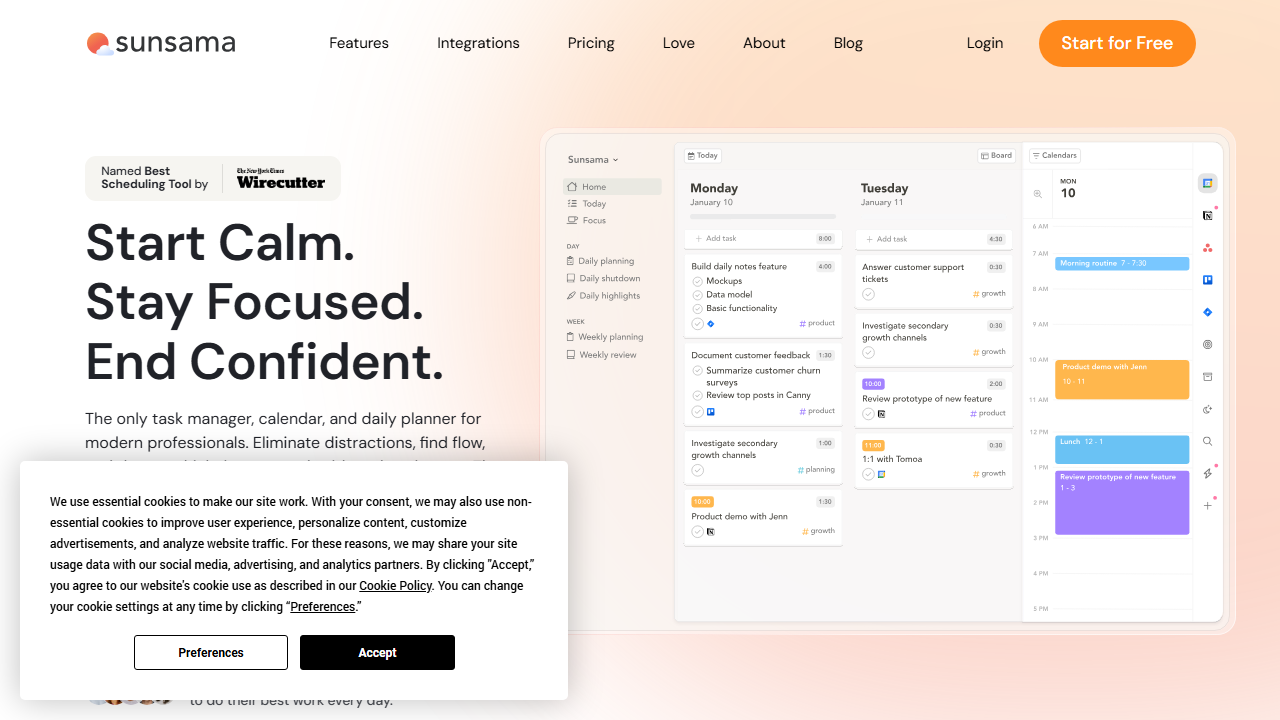
Each morning, Sunsama opens to a guided planning screen. It shows your calendar on the right, your task inbox on the left, and a central column for today’s plan. The app asks three questions: what did you accomplish yesterday, what could you not finish, and what will you focus on today?
You drag tasks from the inbox into your day, estimate durations, and arrange them around existing meetings. If your total estimated time exceeds your available hours, Sunsama turns the overflow red. You must actively choose what to defer. This simple color change prevented me from overcommitting at least three times per week.
Step 5: End with the Shutdown Ritual
At the end of your workday, Sunsama prompts a shutdown ritual. You review what you completed, move unfinished items, and write a brief note about how the day went. This ritual closes the mental loop and reduces the urge to check email at 9:00 PM.
I found the shutdown ritual surprisingly powerful. After completing it, I felt less anxiety about tomorrow because I knew the plan was already waiting. My evenings became more present, and my sleep improved slightly because work thoughts stopped racing at midnight.
Sunsama Review: Key Features for Freelancers
Sunsama packs several features that directly address freelance pain points. I tested each one with real client work to separate genuine utility from marketing fluff. Here is what actually works.
Daily and Weekly Planning
The core feature is the daily planning view. Each morning, Sunsama aggregates tasks from all connected apps and presents them in a unified inbox. You decide what makes the cut for today. The calendar view shows exactly how your tasks fit around meetings.
Weekly planning works similarly but at a higher level. On Sunday or Monday morning, you can map out major themes for the week. I used this to ensure I dedicated enough hours to a major client project rather than letting small tasks eat my whole schedule.
The planning interface is drag-and-drop simple. Tasks snap to calendar slots, and you can resize them to match your time estimates. If you are a visual planner, this tactile experience feels natural. If you prefer lists, you can hide the calendar and work in column view.
Task Consolidation from Multiple Tools
Freelancers often work with clients who use different project management tools. One client uses Asana, another uses Trello, and your personal projects live in Notion. Sunsama imports tasks from all these sources into one daily view.
During my trial, I had active tasks in Todoist, three Gmail threads awaiting replies, and a Notion page with content ideas. Sunsama pulled all of these into my morning inbox. I no longer needed to open four apps to figure out what to do first.
The consolidation preserves context. Each task shows its source icon and a link back to the original tool. If a Todoist task requires checking a subtask list, you can jump directly to Todoist without hunting through browser tabs.
Time Estimation and Budgeting
Sunsama asks you to estimate how long each task takes before you schedule it. This single requirement transforms vague intentions into concrete plans. Instead of writing “work on website,” you write “redesign homepage header” and estimate ninety minutes.
The app tracks your estimates versus actual time. After two weeks, I could see that I consistently underestimated writing tasks by thirty percent and overestimated email responses by fifteen percent. That data helped me price future projects more accurately.
Time budgeting also prevents the common freelancer trap of accepting too much work. When you see that your available hours are full, you have objective evidence to decline a rush project or negotiate a longer deadline.
Focus Mode
Focus Mode hides everything except the task you are currently working on. The screen dims, distractions disappear, and a timer starts counting. This is Sunsama’s version of deep work protection, and it works well if you struggle with self-discipline.
I used Focus Mode for two-hour writing blocks. The minimalist interface reduced my urge to check Slack or browse unrelated tasks. At the end of the session, Sunsama recorded the actual time spent, which I could compare to my estimate.
The timer can follow the Pomodoro method or run as a simple stopwatch. You set intervals, and Sunsama alerts you when it is time for a break. I preferred fifty-minute sessions with ten-minute breaks, which matched my natural attention span.
Email and Slack Integration
Sunsama can turn emails and Slack messages into tasks. When a client sends a request, you convert the email into a scheduled task with one click. The original message attaches as a reference, so you do not lose context.
I tested this with Gmail and found it smooth. A client asked for revisions via email, and I turned it into a Thursday afternoon task in three seconds. The email subject became the task title, and the body remained accessible from within Sunsama.
Slack integration works similarly. You can star a message or use a slash command to send it to Sunsama. This prevents Slack from becoming a black hole of forgotten requests. Everything ends up on your calendar or your deferral list.
Recurring Tasks and Templates
Freelancers have repeating responsibilities like invoicing, backups, and social media posting. Sunsama supports recurring tasks that appear in your inbox on a schedule you define. You can also save daily or weekly plans as templates.
I created a “Friday Admin” template that included invoicing, expense logging, inbox zero, and weekly review. Every Friday morning, I applied the template in one click and my day was planned. This reduced decision fatigue and ensured I never forgot to send invoices.
Templates are especially useful if you serve multiple clients with similar workflows. You can build a “Content Client” template with research, outline, draft, and revision tasks. When a new content project arrives, duplicate the template and adjust deadlines.
Analytics and Reflection
Sunsama tracks completion rates, time estimates versus actuals, and weekly themes. The analytics are not as deep as dedicated time-tracking apps, but they provide enough insight for self-improvement. You see trends in your productivity and can adjust accordingly.
The reflection prompts at shutdown ask what went well and what blocked you. Over three weeks, I noticed I consistently blamed “unexpected client messages” for unfinished tasks. That pattern led me to set clearer communication boundaries, which improved my completion rate.
Data export is available if you want to analyze your history in a spreadsheet. I exported my three weeks of data and confirmed what I suspected: my most productive days were Wednesdays and Thursdays, while Mondays were slow. I now schedule creative work for midweek and admin for Mondays.
Pricing: Is It Worth It?
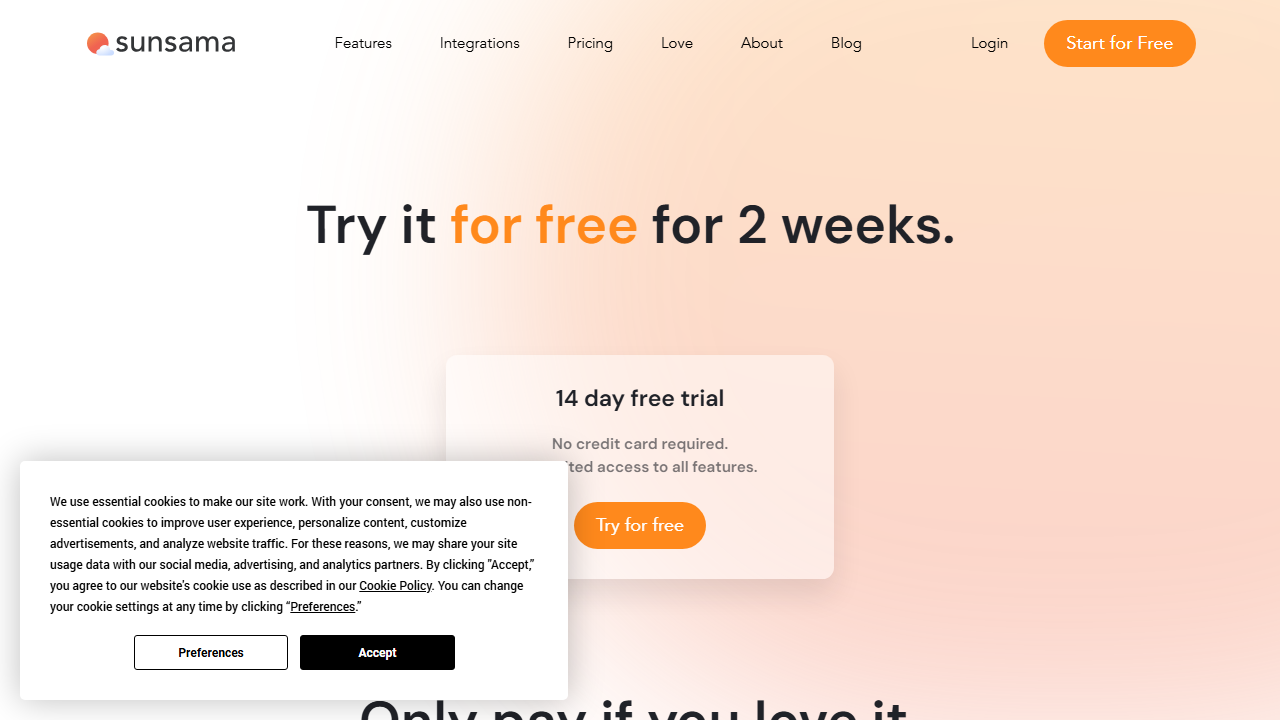
Sunsama keeps its pricing simple but not cheap. There is no free plan, only a fourteen-day free trial. After that, you pay monthly or annually. I tested during the trial and then subscribed for one month to test billing features.
- Free Trial: $0 for 14 days – Full access to all features including integrations, focus mode, and analytics. No credit card required to start. This gives you enough time to complete two weekly planning cycles.
- Paid: $20/month when billed monthly, or $16/month when billed annually – Includes unlimited integrations, unlimited tasks, focus mode, templates, recurring tasks, and priority support. There are no hidden tiers or feature gates.
At $20 per month, Sunsama is more expensive than basic task managers like Todoist or TickTick. However, it replaces multiple tools by combining task consolidation, calendar blocking, and daily rituals in one place. If you currently pay for a task manager and a calendar assistant separately, Sunsama might actually save money.
The value depends on your biggest pain point. If you already plan your days effectively with free tools, Sunsama will feel like an unnecessary luxury. If you constantly feel overwhelmed by scattered tasks and unclear priorities, the $20 monthly fee is a reasonable investment in mental clarity.
Compared to hiring a productivity coach or buying multiple apps, Sunsama offers a middle path. It teaches better planning habits through its ritual structure while providing the software to execute those habits. The educational component adds value that pure task managers lack.
Pros and Cons
After three weeks of daily use, here are the strengths and weaknesses that stood out. I tracked these in a journal to avoid recency bias.
Pros
- The daily planning ritual genuinely reduces morning anxiety by giving you a clear focus.
- Task consolidation from Gmail, Slack, Notion, and project tools eliminates app switching.
- Time estimation features improve your ability to quote realistic deadlines to clients.
- Focus Mode creates a distraction-free environment for deep work sessions.
- The shutdown ritual improves work-life boundaries for remote freelancers.
- Templates and recurring tasks save planning time for routine responsibilities.
- The interface is clean, fast, and visually pleasing without being distracting.
Cons
- No free plan means you must pay after fourteen days or lose access entirely.
- The $20 monthly price is steep compared to competitors with free tiers.
- Mobile app functionality is limited; serious planning requires a desktop computer.
- Some integrations sync slower than expected, especially with Notion databases.
- The ritual structure feels rigid if you prefer spontaneous, unstructured workflows.
- No native invoicing or time-billing features; you still need a separate accounting tool.
Who Should Use Sunsama?
Sunsama is perfect for freelancers who feel scattered across multiple tools and want a single daily command center. If you start each morning unsure what to prioritize, the guided planning ritual will bring order to your chaos.
Creative freelancers who bill by the project will benefit from time estimation and focus mode. Writers, designers, developers, and consultants need long uninterrupted blocks, and Sunsama defends those blocks better than a simple to-do list.
Agency owners with small teams can use Sunsama to coordinate daily priorities without constant check-in meetings. Each team member plans their day independently, and shared channels keep everyone aligned. The team plan adds collaborative features at the same price point.
Sunsama is less ideal for freelancers with rigid, appointment-heavy schedules. If your day consists entirely of back-to-back client calls with no deep work, the planning ritual adds overhead without benefit. Similarly, if you thrive on spontaneity and hate structure, Sunsama will feel like a cage.
If you want to compare Sunsama with other planning tools, read our Reclaim review for calendar automation, or our Lovable AI review for creative workflow management.
Final Verdict
This Sunsama review shows that the tool is a thoughtful daily planner for freelancers who value intentionality over speed. It will not replace your full project management suite, but it will make your daily execution calmer and more focused.
I recommend taking the fourteen-day free trial seriously. Complete every morning planning session and every evening shutdown. If you feel less stressed by Friday of week two, the $20 monthly subscription is justified. If the rituals feel like homework, cancel before the trial ends.
Sunsama works best when you commit to the system. Half-using it by skipping rituals or ignoring time estimates produces mediocre results. But for freelancers ready to bring structure to their solo work life, this Sunsama review ends with a confident recommendation to try it.
Frequently Asked Questions
Does Sunsama offer a free plan?
No, Sunsama does not offer a free plan. You get a fourteen-day free trial with full feature access. After that, you must subscribe at $20 per month or $192 per year. The trial requires no credit card, so you can test risk-free.
Can I use Sunsama with multiple project management tools?
Yes, Sunsama integrates with Asana, Trello, Todoist, ClickUp, Notion, Jira, and GitHub simultaneously. Tasks from all connected tools appear in your daily inbox. You choose which ones to schedule each morning.
Is Sunsama good for teams or only for individuals?
Sunsama works for both individuals and small teams. Team plans allow shared workspaces, collaborative daily planning, and visibility into colleague schedules. Small agencies will find the coordination features useful.
Does Sunsama track billable hours for client invoicing?
Sunsama tracks estimated versus actual time per task, but it does not generate client invoices or export detailed timesheets. You will still need dedicated time-tracking software like Toggl or Harvest for billing purposes.
How does Sunsama compare to Notion for task management?
Notion is a database and knowledge management tool with task features. Sunsama is a daily planning tool with calendar integration. Many users connect both: Notion stores project details, and Sunsama plans the daily execution. They complement rather than replace each other.
Can I use Sunsama on mobile devices?
Sunsama offers mobile apps for iOS and Android, but the experience is best on desktop. Mobile supports checking your daily plan, marking tasks complete, and adding quick notes. Complex planning and template editing require a computer.
What happens to my data if I cancel Sunsama?
You can export your tasks and planning history before cancellation. Exported files come in CSV and JSON formats. Your connected tool data remains in those original platforms; Sunsama only stores copies for planning purposes.
Does Sunsama work offline?
Sunsama requires an internet connection for full functionality. You can view your current daily plan briefly if you lose connection, but syncing tasks, updating integrations, and saving changes need a live connection. This is standard for cloud-based planning tools.